Set Time Off Request Parameters
Additional time off settings let you set request deadlines, control allowable dates, and block specific periods to manage employee time off effectively
Configure additional time off settings to control request deadlines, allowable date ranges, and restricted periods. These settings help ensure time off is managed in line with staffing needs and company policies.
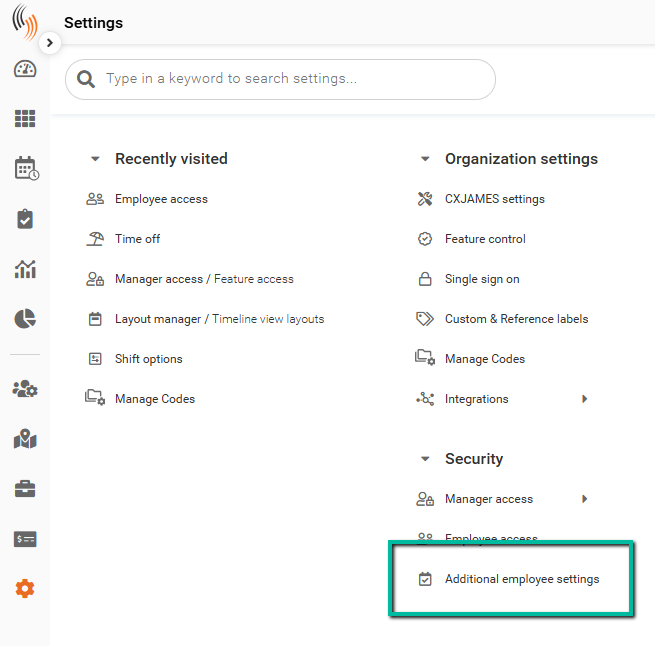
Access Additional Time Off Settings
To configure additional employee time off settings, you have two options:
- Go to Settings → Security → Additional Employee Settings, or
- Go to Settings → Branch Defaults → Time Off, then click Go to Additional employee time off settings
Configure Time Off Request Parameters
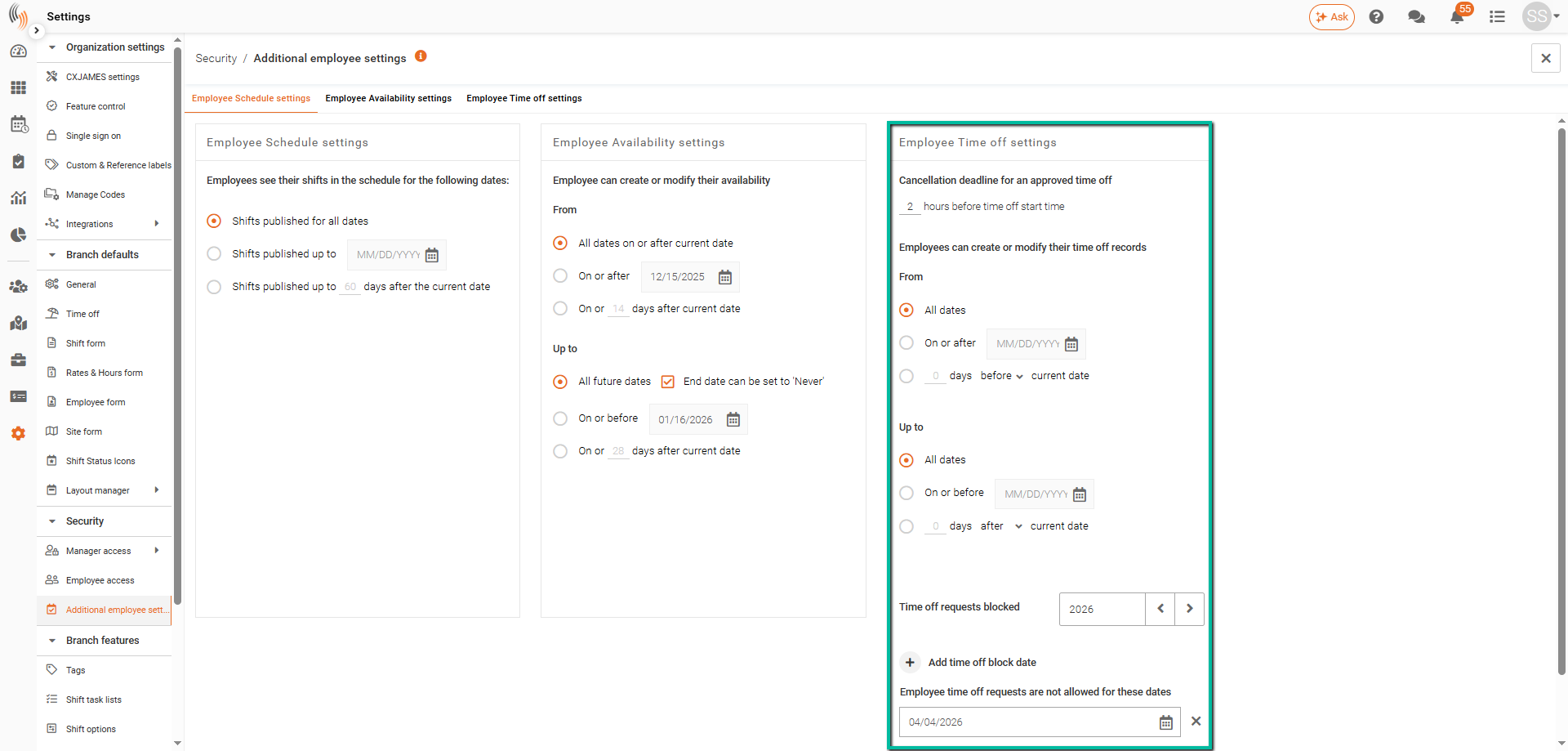
The Employee Time Off Settings allow you to:
- Set a cancellation deadline
Define how long employees have to cancel approved time off requests. - Control allowable date ranges
Specify the date range in which employees can create or modify time off requests. - Block specific dates
Prevent employees from submitting time off requests for selected dates.