
Set Up Voice Xpress
Voice Xpress allows employees to interact with their shifts by calling a designated phone number instead of using the Team Xpress app. This is especially useful in situations where mobile data is unavailable, devices are limited, or app access is not possible.
What is a Voice Xpress Number
A Voice Xpress number provides an alternative way for employees to:
- Clock in and out of shifts
- Start and end breaks
- Perform safety checks
When to Use Voice Xpress
Voice Xpress is useful in situations where:
- An employee does not have mobile data for the Team Xpress app
- There is no cellular coverage at the work site
- The device cannot support the Team Xpress app
If any of these apply, contact Celayix Support to enable Voice Xpress for your organization.
Create a Voice Xpress Number
Voice Xpress numbers are set up by Celayix Support.
To request a number, contact Support and they will configure it for your organization.
Manage Employee Login Details
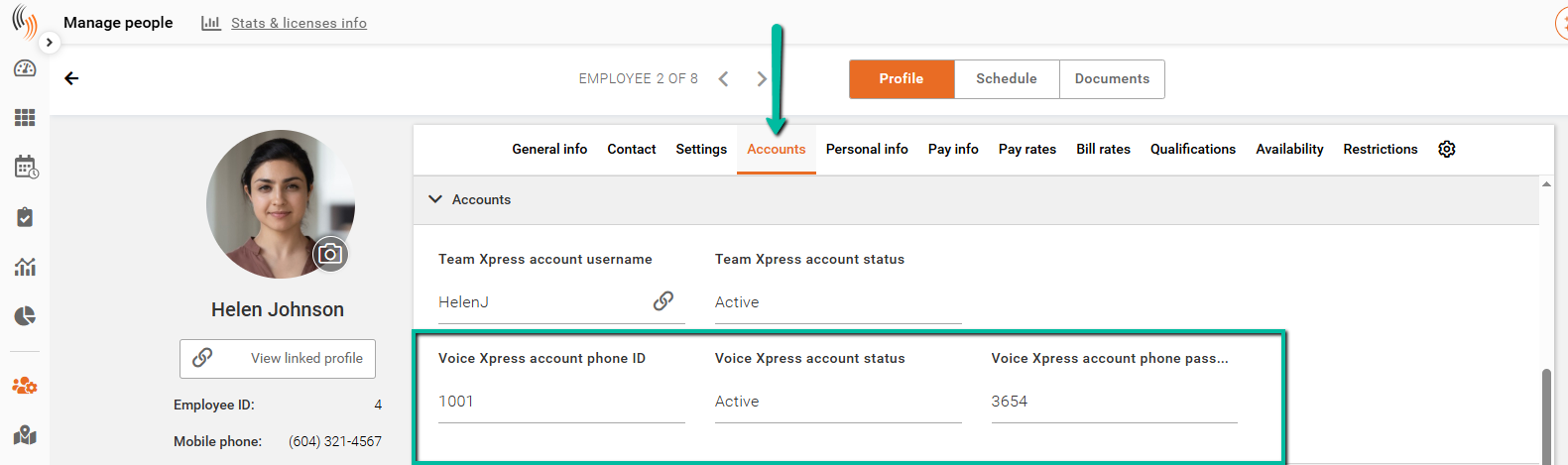
Employees must use a Voice Xpress ID and Voice Xpress password to access the system.
These can be found in:
Manage People → Employee Profile → Accounts
You can update these credentials at any time if needed.
Configure Registered Phone Numbers
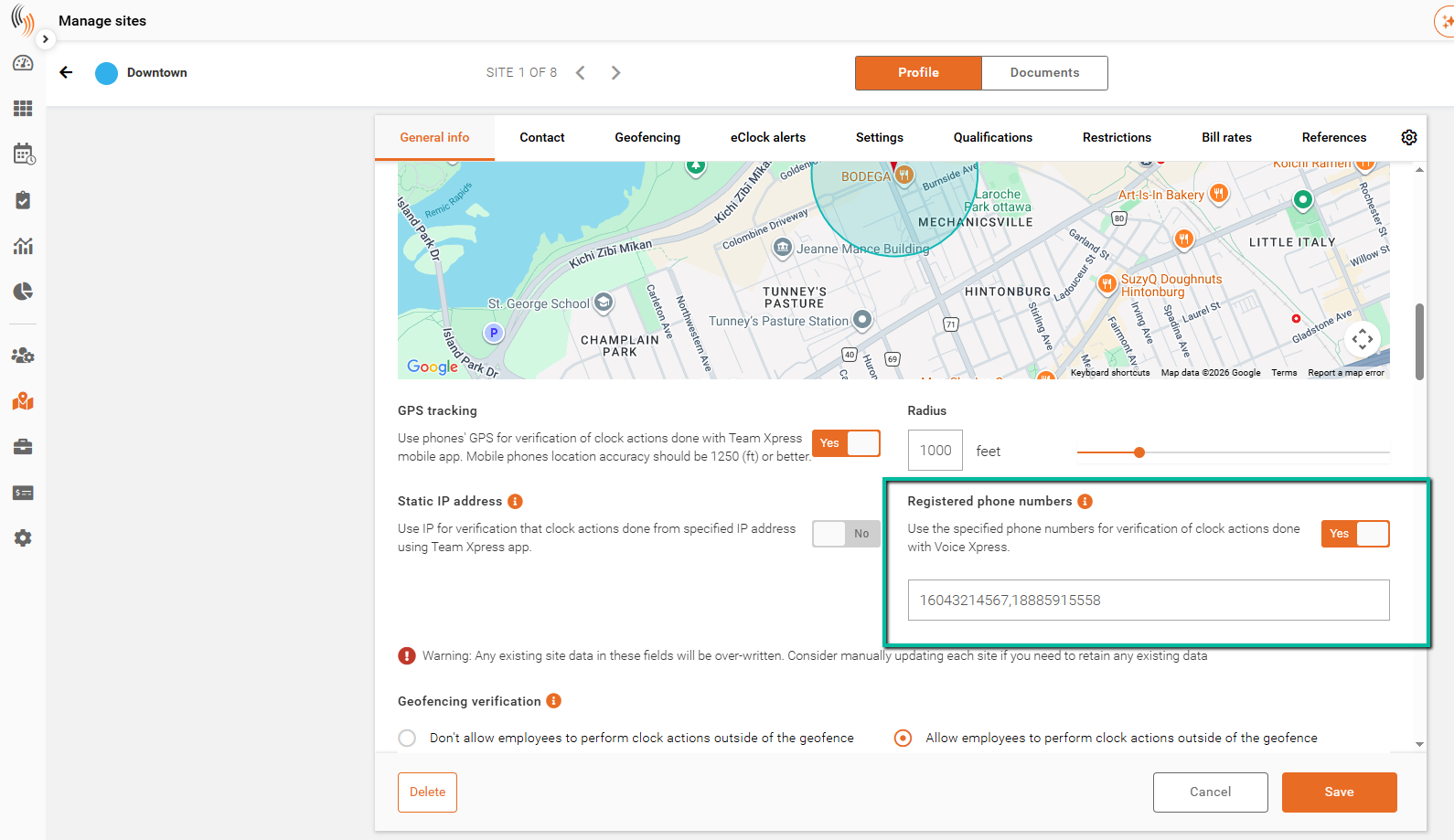
Registered phone numbers are configured at the site level in:
Manage Sites → Geofencing
When enabled:
- Only registered phone numbers can be used to clock in at that site
When disabled:
- Any phone number can be used to clock in
Ensure employee phone numbers are added if this setting is enabled.
Important: If entering multiple phone numbers, separate each number with a comma.
Geofencing Requirements for Voice Xpress
Voice Xpress is affected by geofencing settings at the site level.
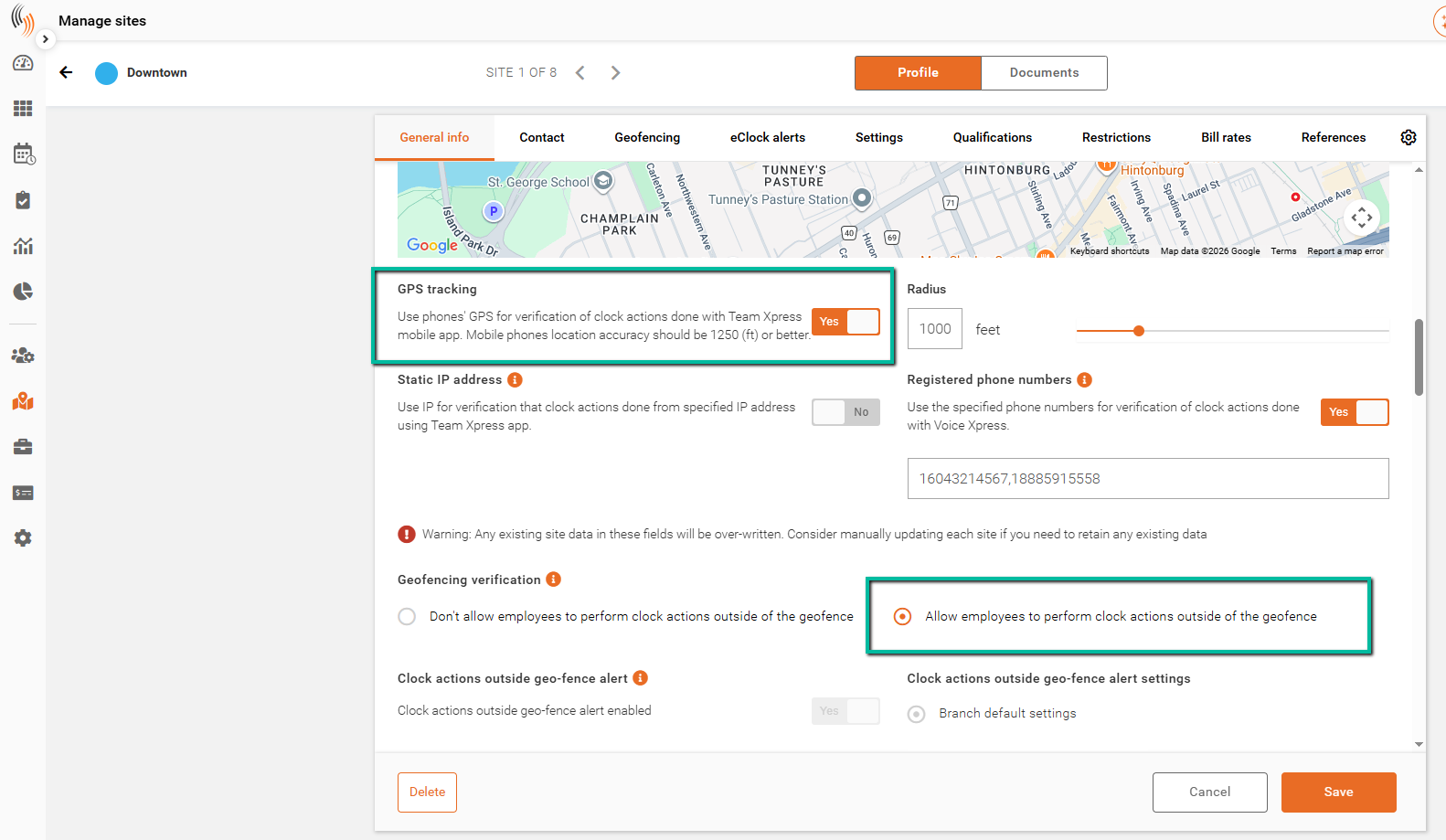
If Don’t allow employees to perform clock actions outside of the geofence is selected, Voice Xpress check-in, check-out, and safety check attempts will be blocked.
To ensure Voice Xpress functions correctly, you must either:
- Select Allow employees to perform clock actions outside of the geofence, or
- Have no geofence configured for the site
If this setting is not configured correctly, employees will not be able to complete Voice Xpress actions.
Use Voice Xpress (Employee)
To understand how employees use Voice Xpress, refer to the Use Voice Xpress article.