
Export Sites to PDF or Excel
Admins can export site information from Schedule Xpress to PDF or Excel, making it simple to review data, share with stakeholders, or maintain records. This feature supports efficient reporting, external use, and long-term data management.
Export Sites to PDF or Excel
To export site data, follow these steps:
- Select the columns you want to include by configuring them in the Manage Sites section using the three dots (⋮) in the top right of the grid
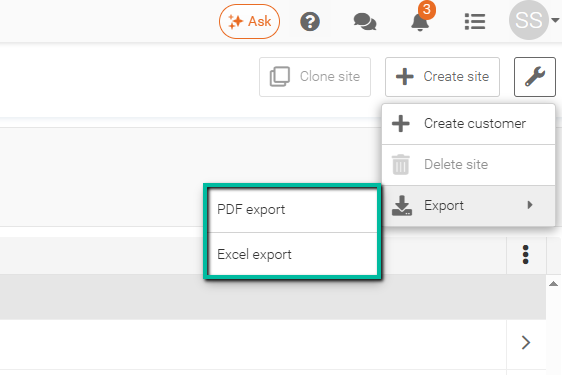
- Click the Wrench Icon, then choose Export, followed by either PDF Export or Excel Export.
Only the columns currently displayed on screen will be included in your export. For guidance on adjusting columns and filters beforehand, refer to our Filter Sites and Customize Columns article.
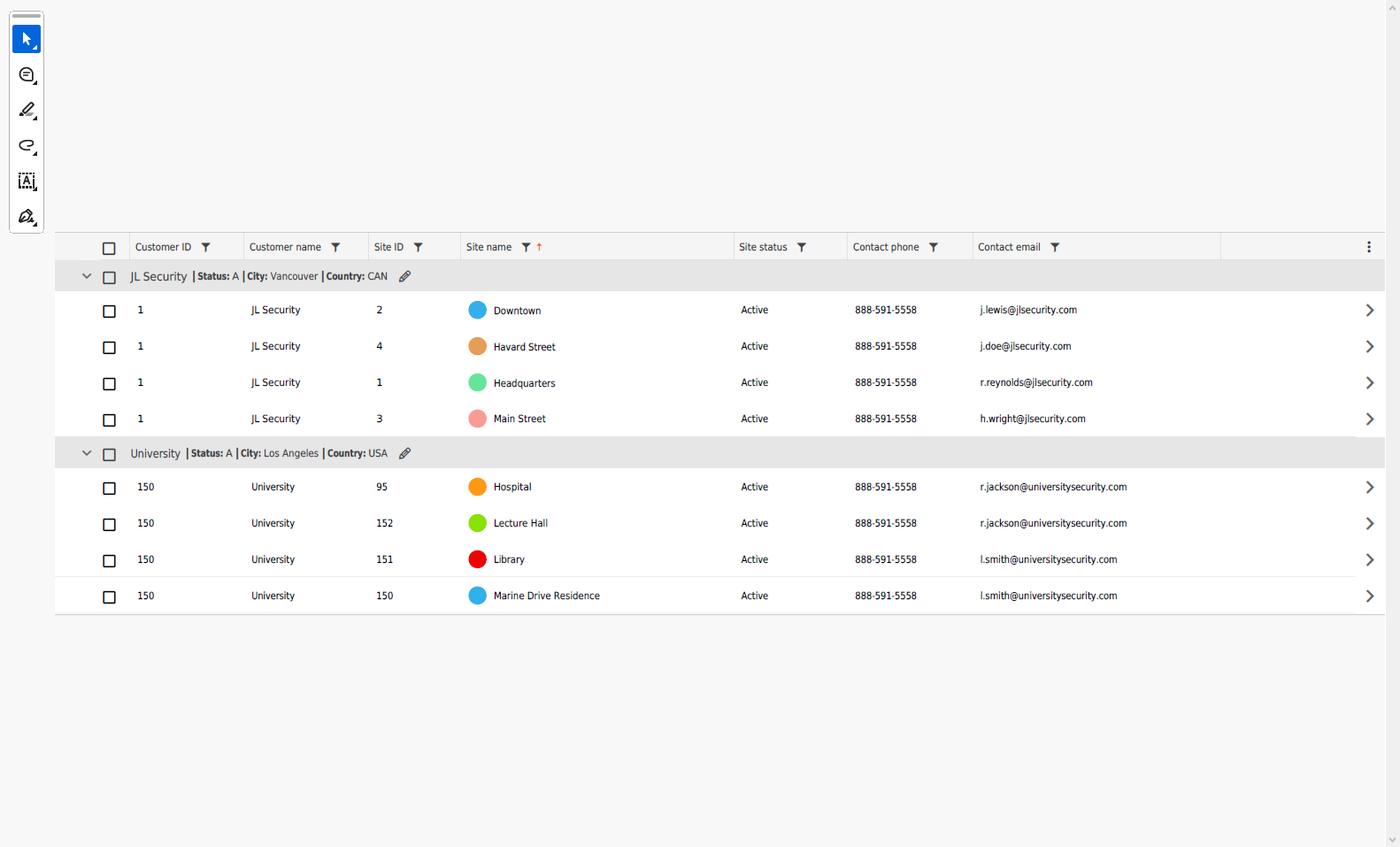
Example of Manage Sites PDF Export
The Manage Sites PDF Export provides a formatted summary of site information that can be printed, shared, or archived for reporting purposes.
Example of Manage Sites Excel Export
The Manage Sites Excel Export provides site data in a spreadsheet format, making it easy to sort, filter, analyze, and work with site information outside of Schedule Xpress.
