Repeat Shifts
Repeating shifts allow you to quickly copy one or more shifts across a schedule, saving time when shifts follow a regular pattern.
Step 1: Select or Create a Shift
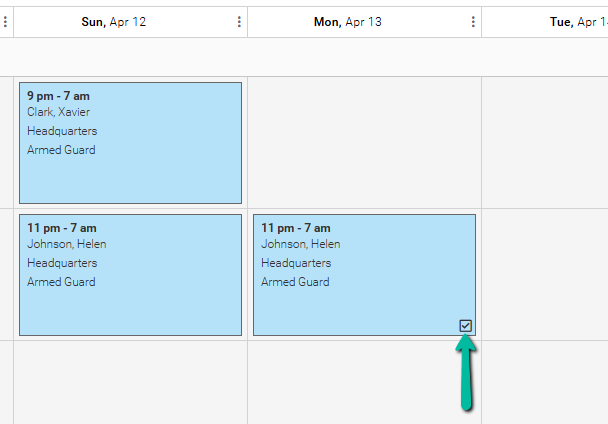
- Select an existing shift or begin creating a new shift
Step 2: Open Repeat Option
You can repeat a shift using either method:
Method 1: Shift Tools Menu
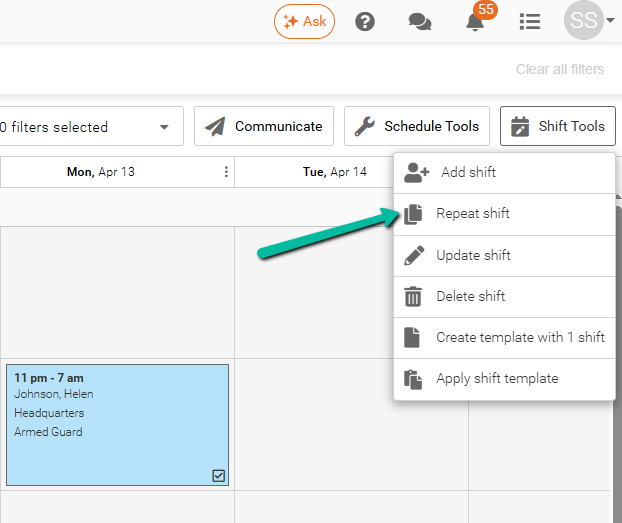
- Click Shift Tools
- Select Repeat shift
Method 2: Right-Click Menu
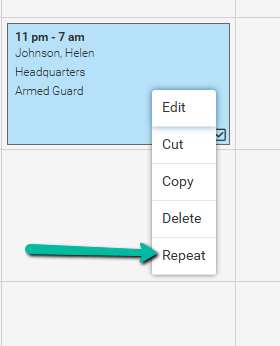
- Right-click the shift
- Click Repeat
Note: If you've chosen multiple shifts, the Repeat function will apply to all of them.
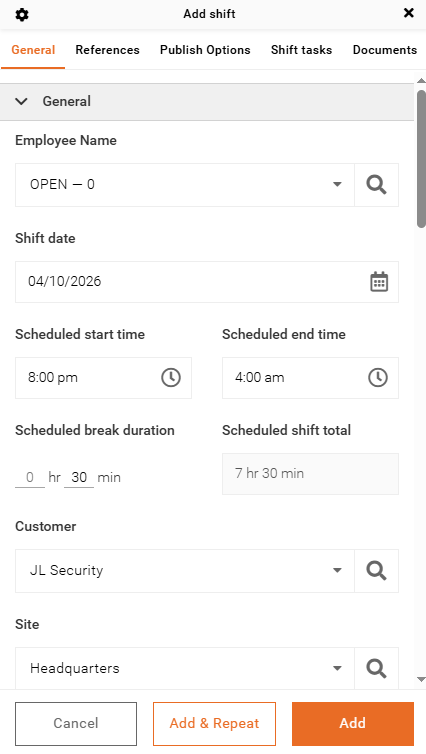
Method 3: Add & Repeat (While Creating a Shift)
- Fill in the shift details
- Click Add & Repeat instead of Add
Step 3: Set Repeat Pattern
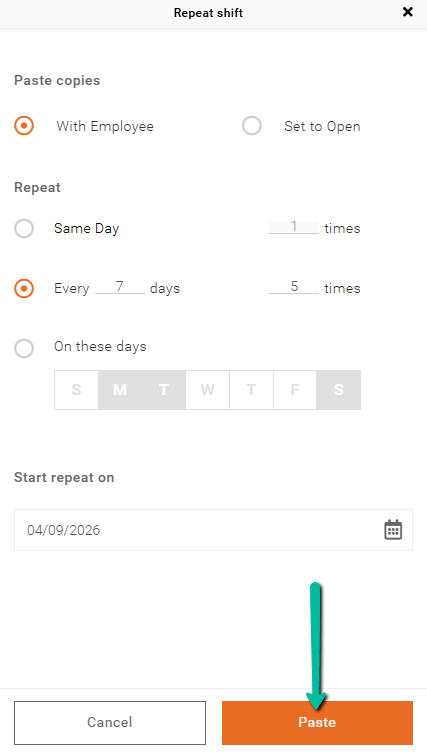
In the Repeat Shift window, configure the following:
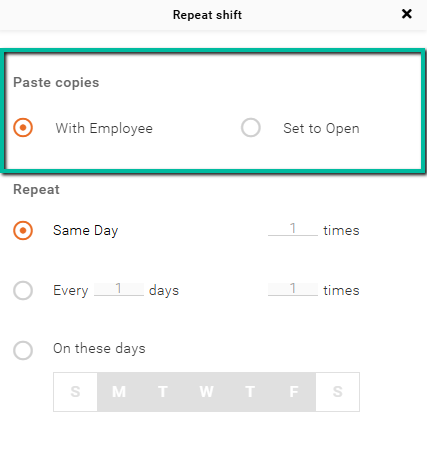
Paste Copies
- With Employee – Keeps the same employee assigned
- Set to Open – Creates unassigned shifts
Same Day
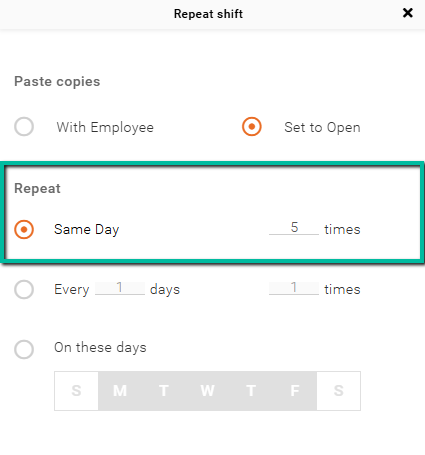
- Repeats the shift multiple times on the same day
- Enter how many times to repeat
In the example below, making 5 additional copies of the shift results in a total of 6 shifts, including the original.
Every X Days
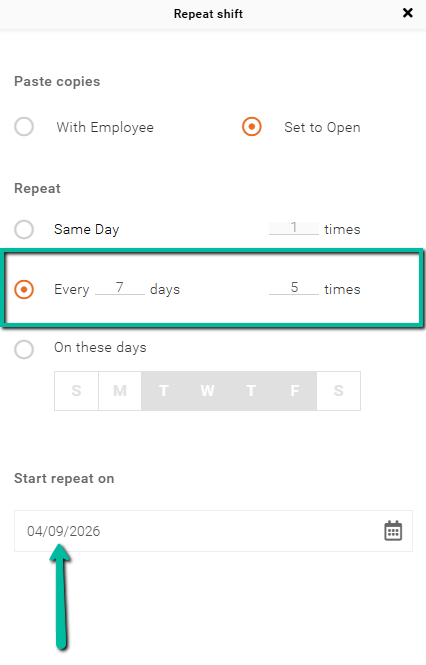
Repeats the shift at a fixed day interval starting from the selected start date.
- Enter the number of days between each shift (e.g., 7 = once every week)
- Enter how many times the shift should repeat (e.g., number of weeks if using 7 days)
Important:
Make sure to select the correct Start Repeat On date, as this determines when the repeating pattern begins.
Example:
If you enter 7 days and 5 times, the shift will repeat once every week for 5 weeks starting from the selected start date.
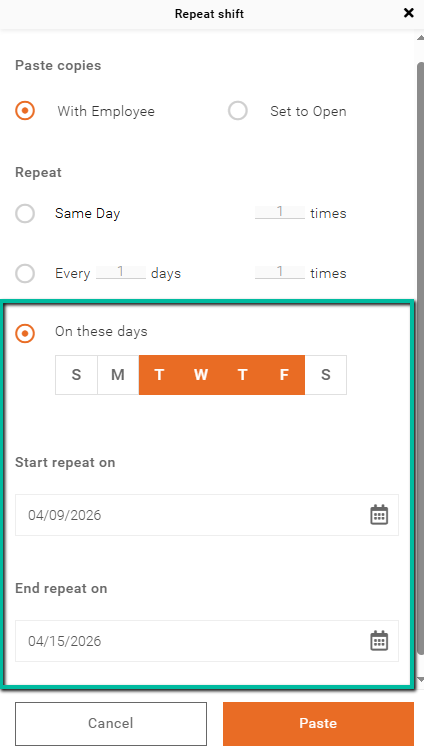
On These Days
Repeats the shift on specific days of the week within a selected date range.
- Select one or more days by clicking them so they are highlighted in orange (e.g., Monday, Wednesday, Friday)
- Set the Start Repeat On and End Repeat On dates to define the range. If you don't, it will default to the current week
Important:
- If you create a shift on a specific day (e.g., Monday) and keep that same day selected, the shift will repeat on that day in the first week
Recommendation:
- Use this option for weekly repeating schedules
- For longer or more complex repeating patterns, consider using On These Days or Shift Templates
Step 4: Paste
- Click Paste to confirm the creation of the repeated shifts