Update Pay Rates
Admins can update pay rates at any time in Schedule Xpress, ensuring compensation records remain accurate and up to date. Whether adjusting for annual increases, promotions, or market changes, the system provides a streamlined process to manage rate updates efficiently.
Update Pay Rates
To update one or more pay rates:
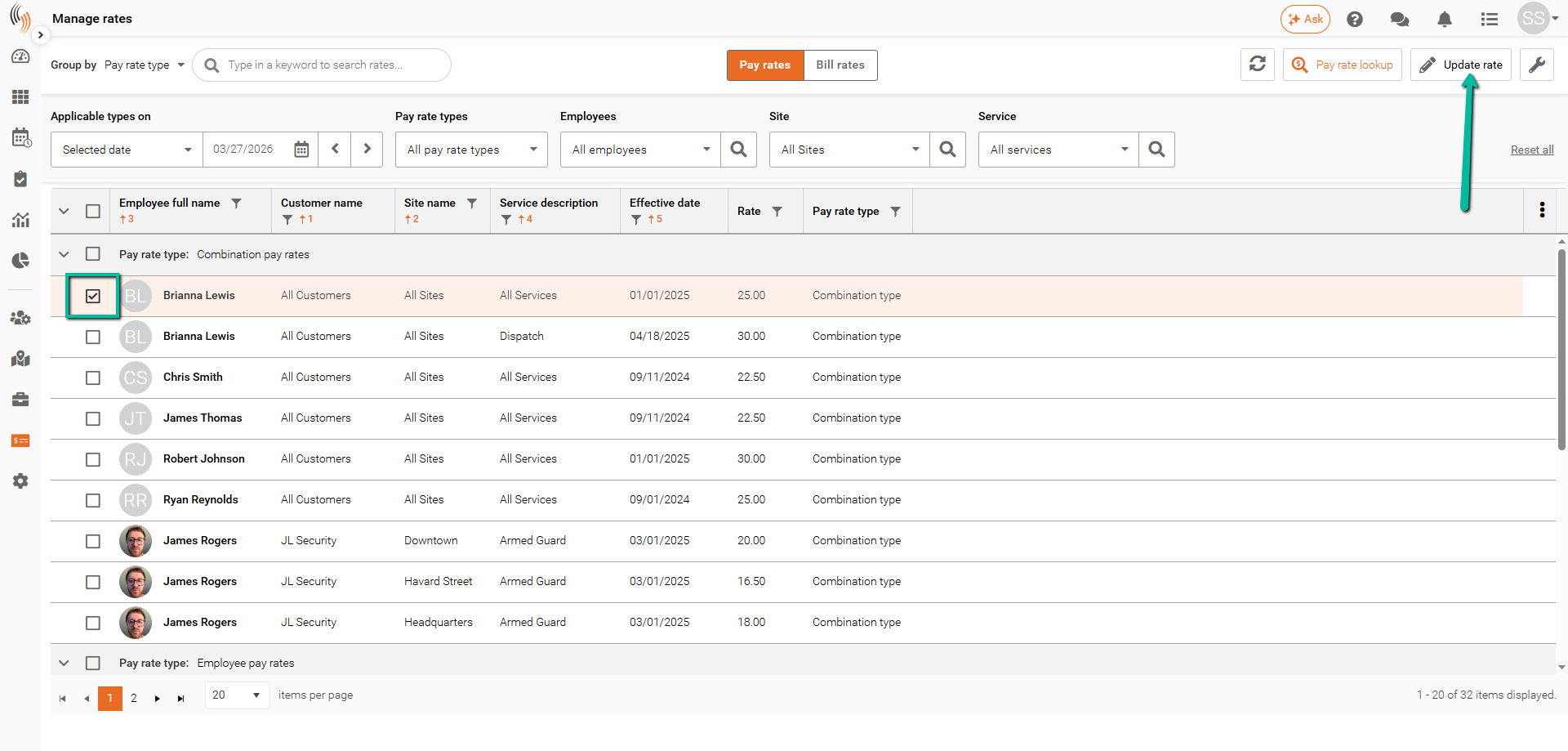
- Select the pay rate(s) you want to update by checking the corresponding boxes.
- Click Update Rate in the top-right corner.
Alternatively, click the Wrench Icon beside a pay rate and select Update Rate.
Tip: Multiple pay rates can be updated at the same time by selecting more than one pay rate before clicking Update Rate.
Choose How to Update the Pay Rate
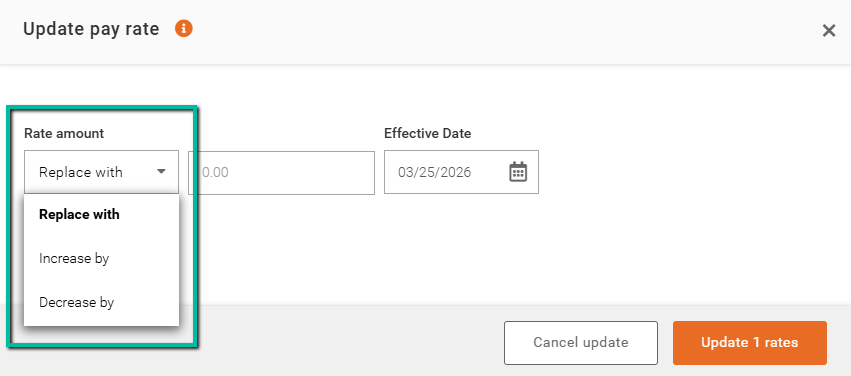
After selecting the pay rate(s) to update, choose how you would like the changes to be applied:
- Replace With – Replaces the existing pay rate with a new value.
- Increase By – Increases the current pay rate by a specified amount.
- Decrease By – Decreases the current pay rate by a specified amount.
Important Note: Use Replace With only if you are comfortable overwriting the existing pay rate. If you need to preserve historical rate information, consider using Increase By, Decrease By, or creating a new pay rate with an effective date instead.
Enter Update Details and Save Pay Rate
Once you've selected how the pay rate should be updated:
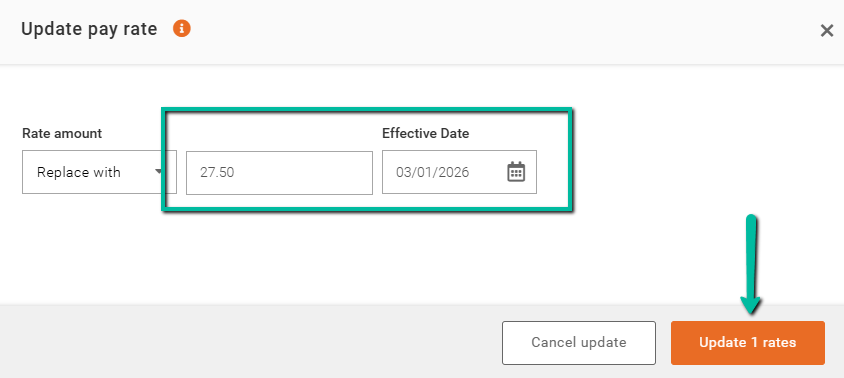
- Enter the new value or adjustment amount.
- Select the Effective Date.
- Click Update Rate(s) to apply the changes.
The selected pay rate(s) will be updated based on the method and effective date specified.