Schedule Info Widget
The Schedule Info Widget displays key scheduling information directly in your Schedule, helping you avoid conflicts and stay informed. It highlights statutory holidays, blocked time-off periods, and schedule memos for quick reference.
What the Widget Displays
The Schedule Info Widget includes the following:
- Statutory Holidays
Officially recognized holidays that may impact scheduling. - Blocked Time-Off Periods
Dates when employees cannot submit time-off requests. - Schedule Memos
Important notes or reminders for scheduling coordinators.
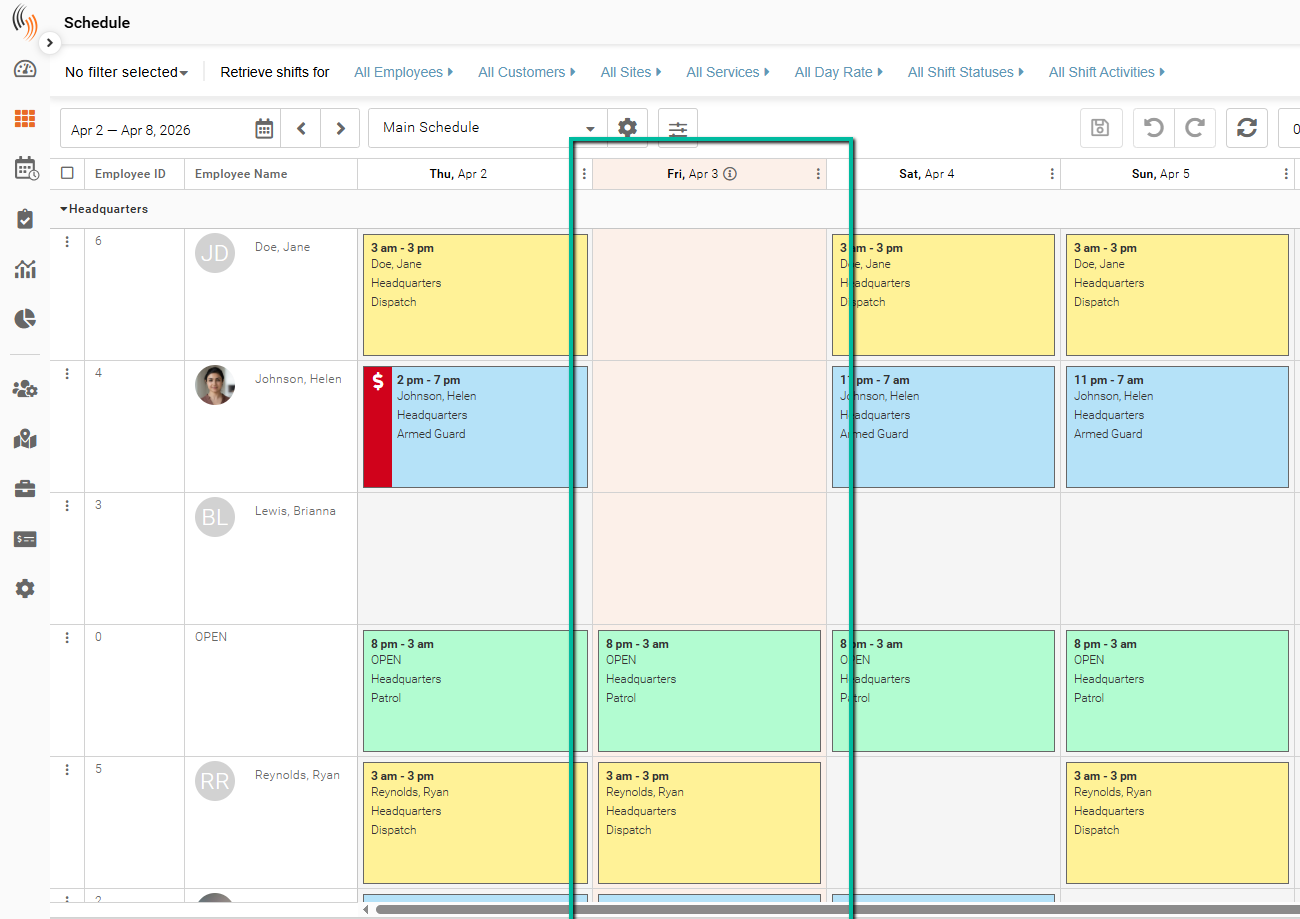
View Statutory Holidays
Statutory Holidays are highlighted in red within your Schedule.
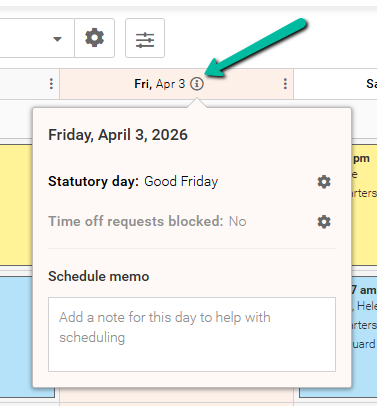
Click the Schedule Info Widget on the selected date to view details about the holiday.
Manage Blocked Time-Off Requests
The Time Off Requests Blocked feature allows you to prevent employees from submitting time-off requests for specific dates.
To configure this setting, go to:
Schedule Xpress → Settings → Security → Additional Employee Settings → Employee Time Off Settings
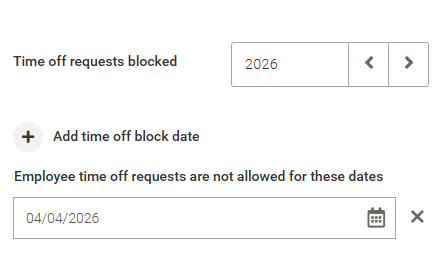
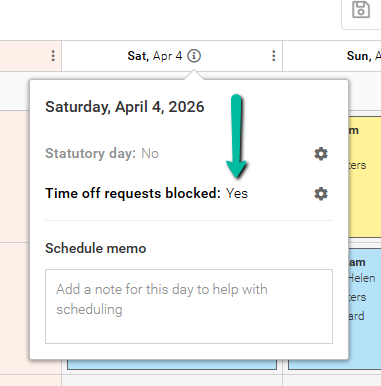
When a date is blocked:
- It is displayed in the Schedule Info Widget
- Employees attempting to request time off will receive an error in the Team Xpress app
Use Schedule Memos
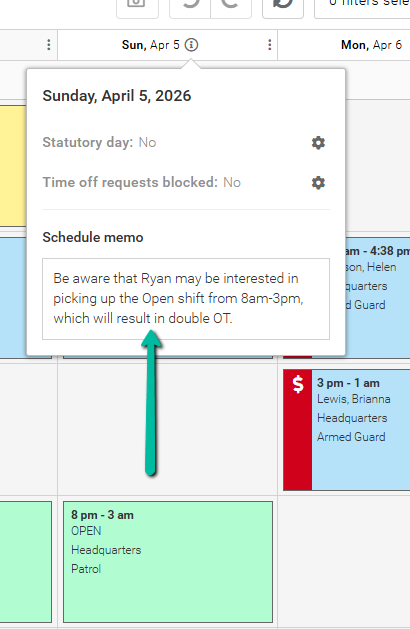
Schedule Memos allow you to communicate important information that may affect scheduling decisions.
Use memos to highlight special events, conflicts, or other key details so users have the necessary context before making changes.
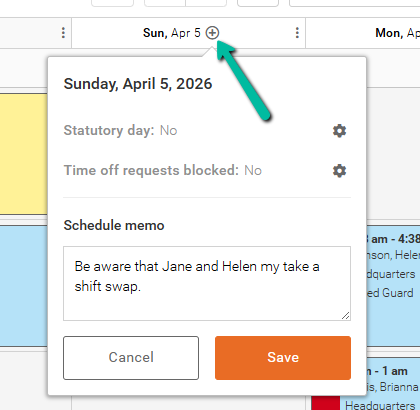
Add a Schedule Memo
The Schedule Info Widget appears only when there is a statutory holiday, blocked time-off request, or an existing memo.
If none are present, hover over a date and click the + icon to add a schedule memo.
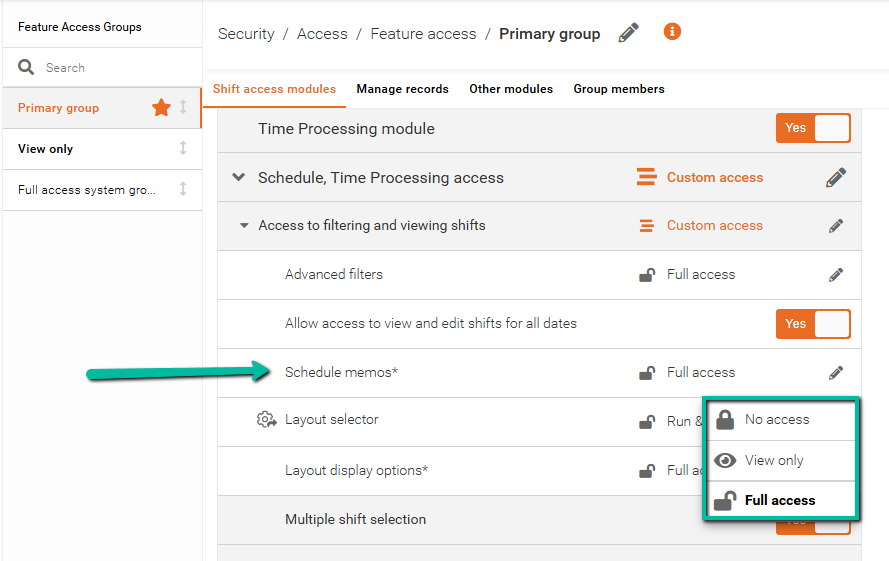
Configure Schedule Memo Access
Access to Schedule memos is controlled through Feature Access Groups.
You can define which users can view or manage schedule memos by adjusting permissions within their assigned access group.