Delete Sites
This article explains how to permanently delete a site in Schedule Xpress.
Admins can permanently delete sites in Schedule Xpress when they are no longer needed. The process is simple and can be completed in just a few steps.
Deleting a site is irreversible, meaning it cannot be recovered once removed. Be sure to confirm your decision before proceeding.
Delete a Site
You can delete a site from either the site profile or the Manage Sites homepage.
From the Site Profile
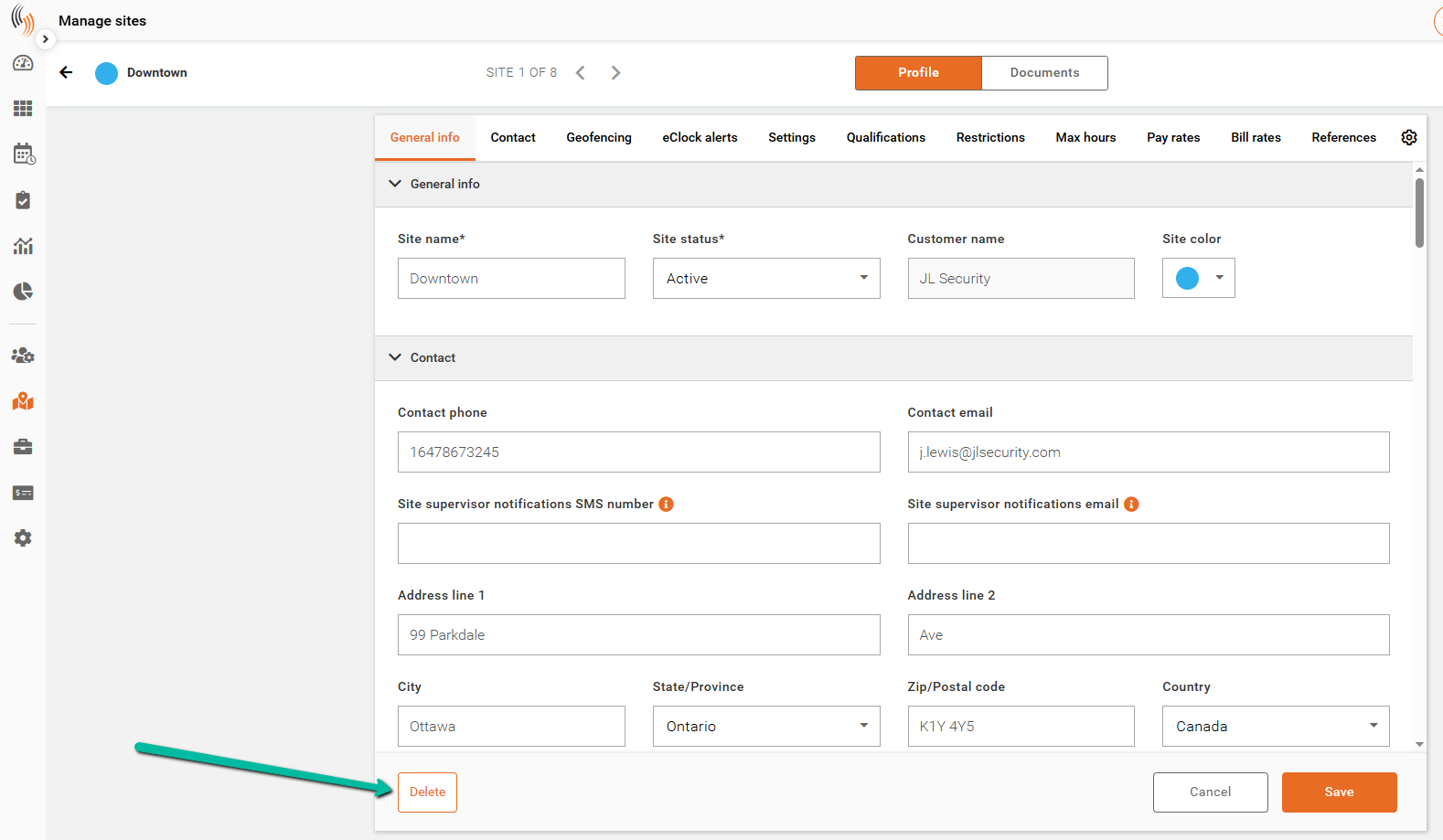
- Open the site you want to delete.
- Click Edit Site.
- Click Delete in the bottom-left corner.
From the Manage Sites Homepage
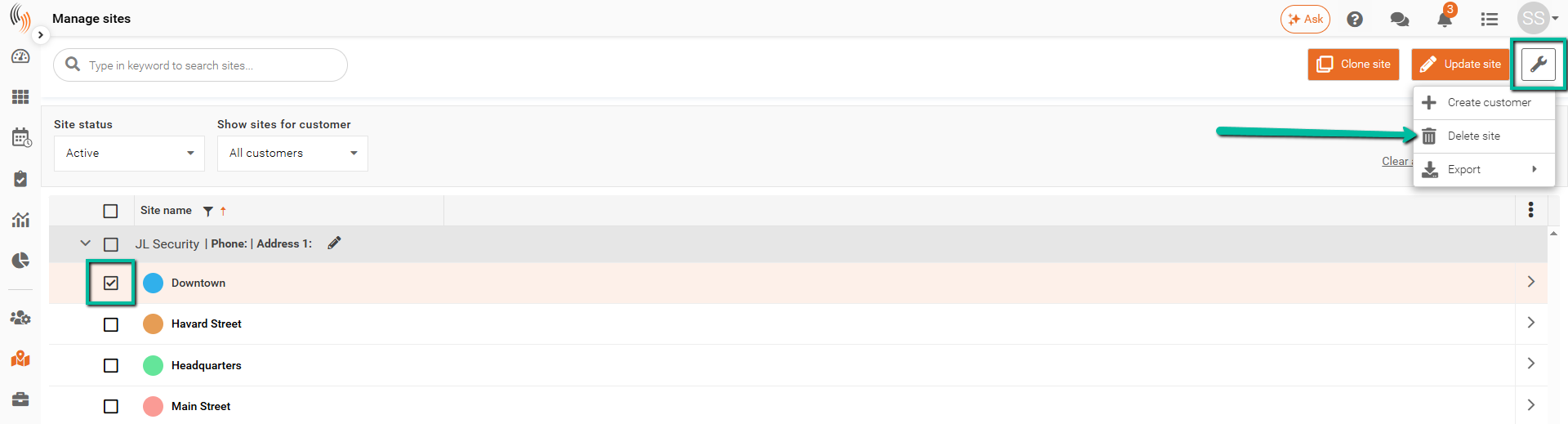
- Select the site you want to delete.
- Click the Wrench icon in the top-right corner.
- Select Delete Site.