Service Qualifications
Service qualifications help enforce requirements by ensuring only employees with the necessary credentials can be scheduled. You can easily manage these qualifications by adding or removing them from a service profile.
Add a Qualification to a Service
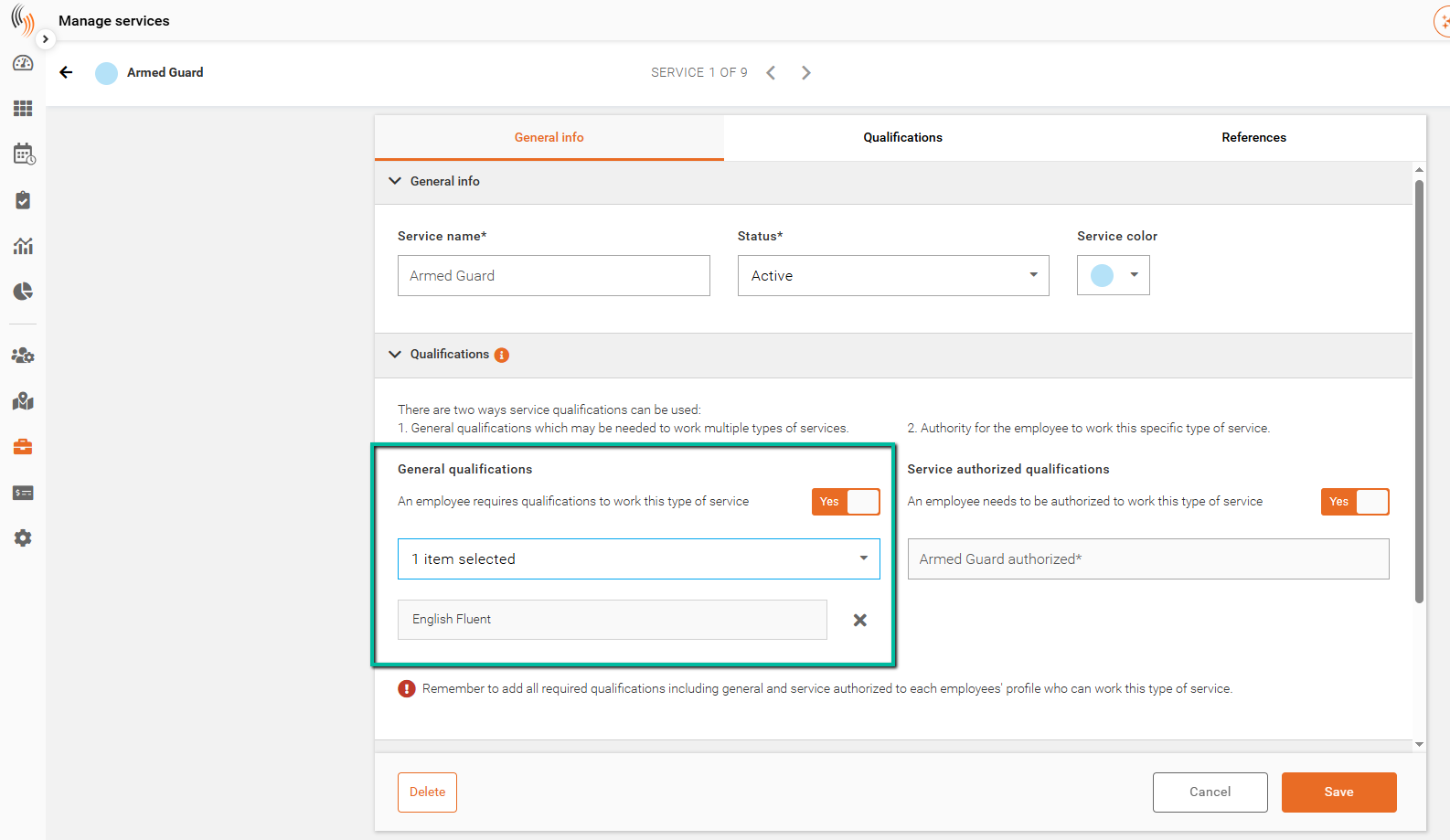
There are two types of qualifications that can be applied to a service:
- General Qualifications – Define the required skills or certifications needed to perform the service. Only employees with these qualifications in their profile can be assigned.
- Service Authorized Qualifications – Provide an additional level of control by specifying which employees are authorized to work that specific service. This is used when employees must be explicitly approved beyond having the required qualifications.
To apply a qualification to a service:
- Locate and select the service you want to update
- Click Edit service
- Navigate to the Qualifications section
- Enable either General qualifications or Service authorized qualifications as needed
- Select a qualification from the dropdown
- Alternatively, qualifications can be created in Settings → Organization settings → Manage codes
- Click Save
Once applied, only employees who meet the selected qualification criteria will be eligible to be assigned to that service.
Create and Add a New Qualification
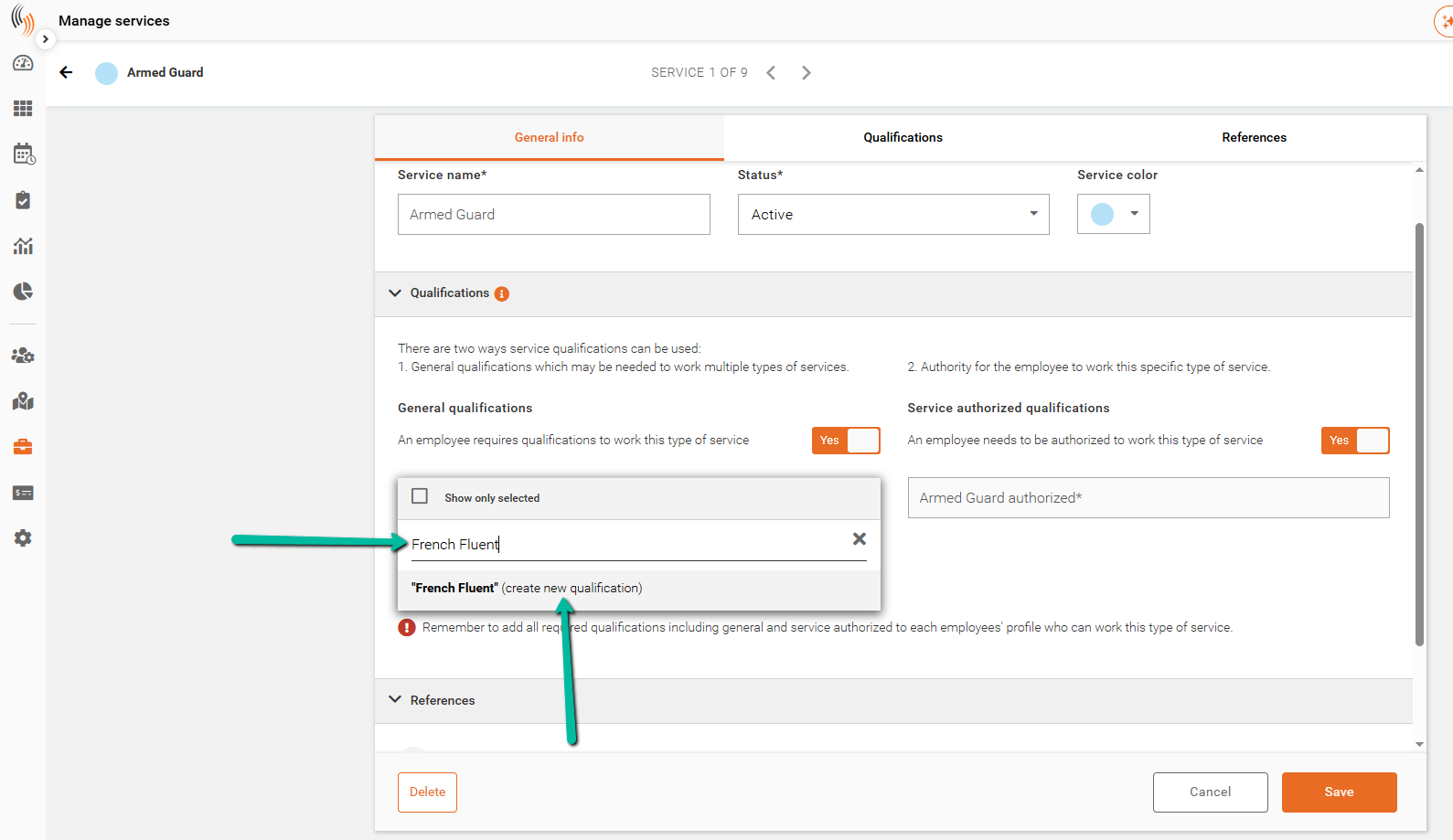
If the qualification does not already exist:
- Open the General qualifications dropdown
- Type the name of the new qualification
- Select Create new qualification
The new qualification will be automatically added to the service and can also be used across other services or employee profiles.
Remove a Qualification from a Service
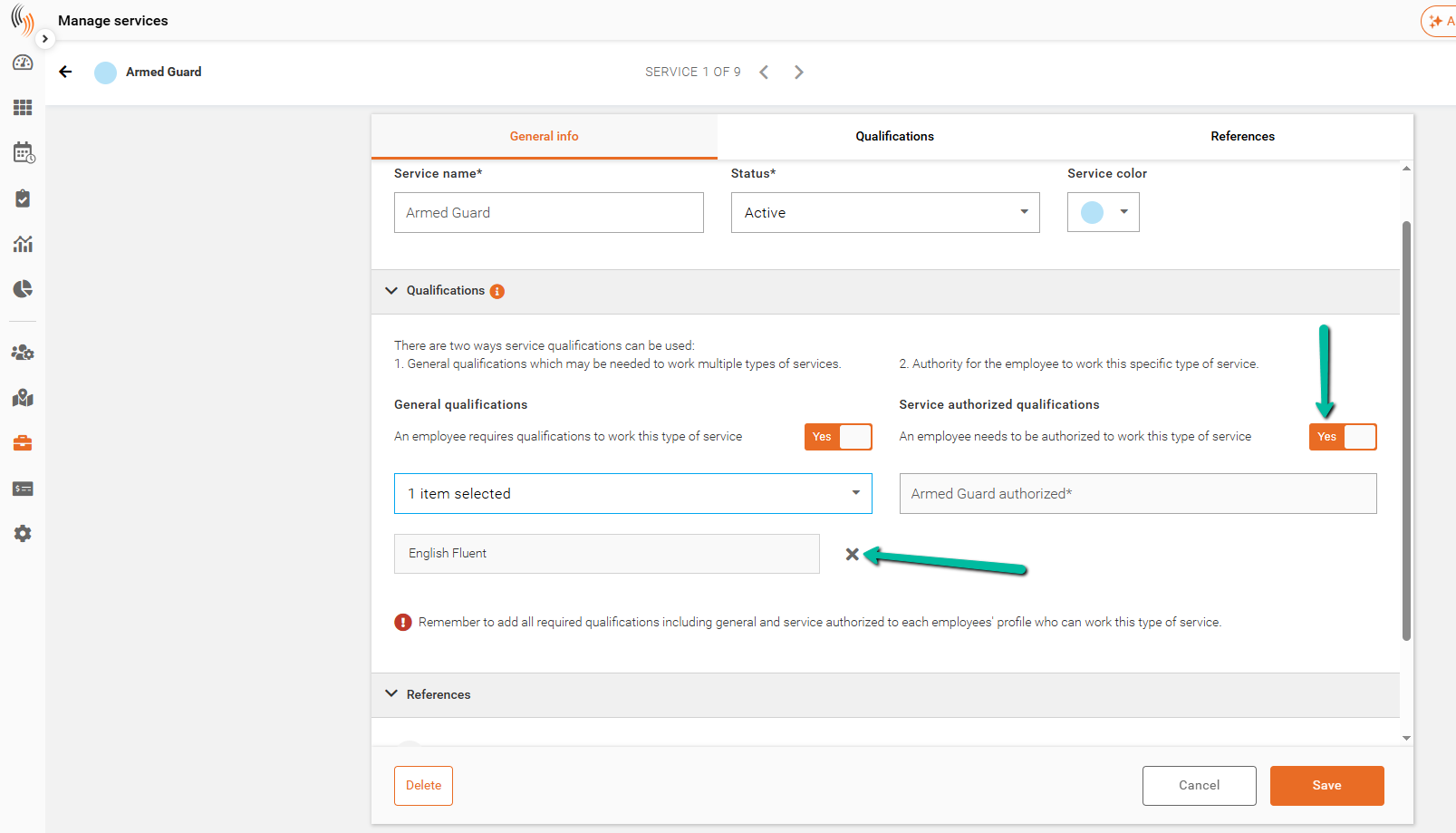
To remove a qualification from a service:
- Open the service and click Edit service
- Navigate to the Qualifications section
For General Qualifications:
- Click the X next to the selected qualification to remove it
For Service Authorized Qualifications:
- Set the toggle to No to disable this requirement
Click Save to complete.
Removing a qualification will allow employees without that credential to be scheduled for the service.