Enable Admin Access to Time Off
Grant admins access to view and manage employee time off requests.
Enable admin access to allow managers to view, create, and manage employee time off requests.
Access Feature Access Settings
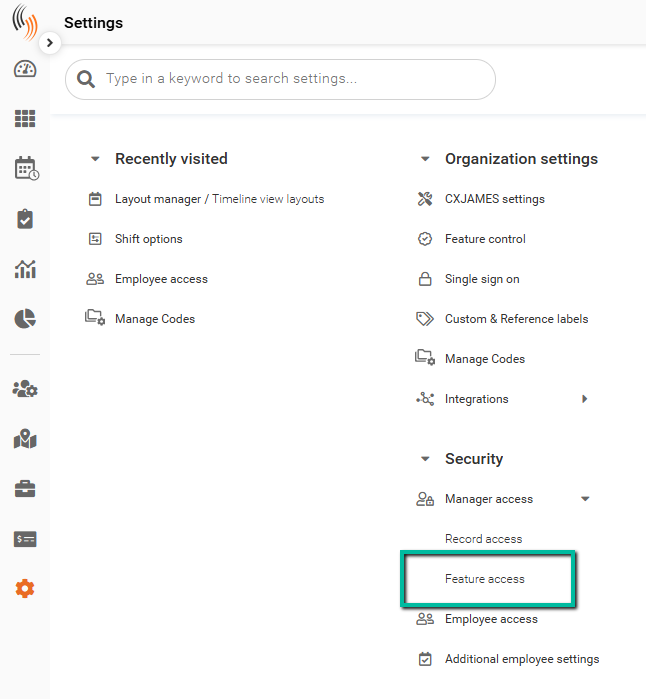
To enable this feature, go to:
Settings → Security → Manager Access → Feature Access
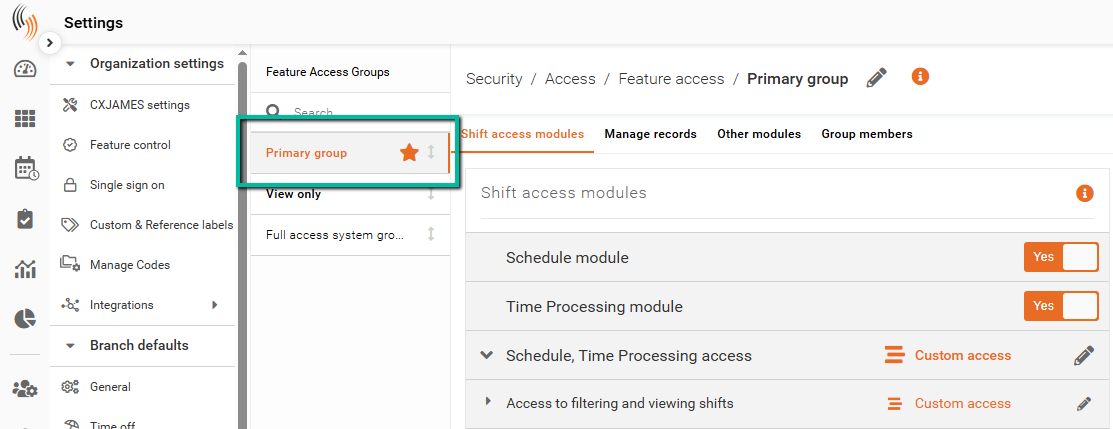
Select the relevant Feature Access Group.
Enable Time Off Access
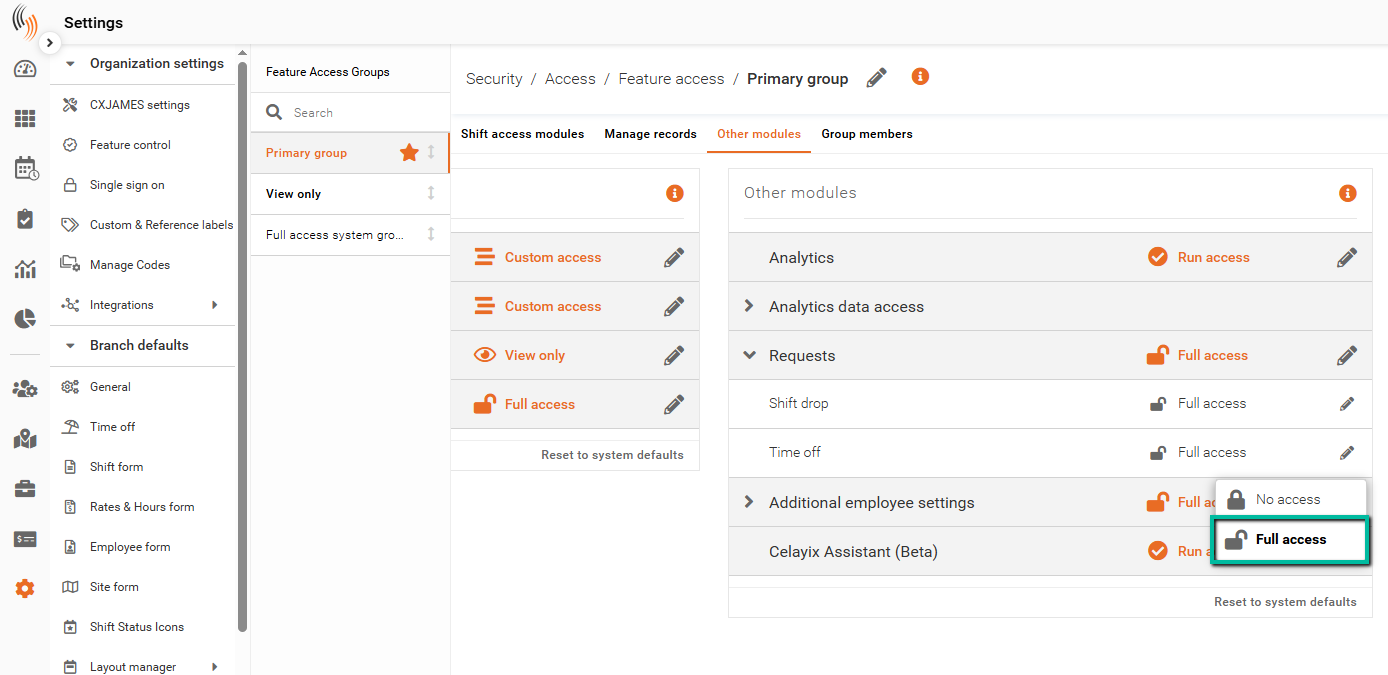
Within the selected Feature Access Group, navigate to the Other modules tab.
Under Requests, locate Time off and set the appropriate access level (e.g., Full access).
This allows admins to view, create, and manage time off requests.
What This Enables
Once enabled, admins can:
- View employee time off requests
- Approve or decline requests
- Create or modify time off records