Edit a Shift in Schedule Xpress (Desktop)
Editing a shift in Schedule Xpress allows you to quickly update scheduled work directly from the schedule.
Editing a shift in Schedule Xpress is quick and straightforward, allowing you to update scheduled work directly from the schedule. Whether you need to adjust times, change details, or correct information, you can edit a shift in just a few clicks.
Option 1: Using Shift Tools
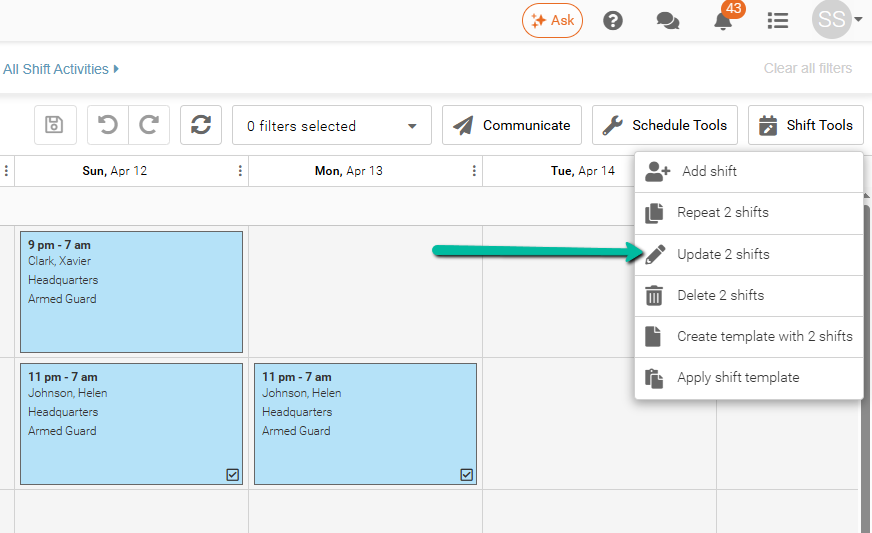
- Check mark the shift(s) you want to edit
- Click Shift Tools in the top-right corner
- Select Update Shift(s)
- The shift panel will open, where you can update the required details
Please note: If you select multiple shifts to edit, a panel will open where you'll need to choose a specific field to modify.
Option 2: Right-Click on the Schedule
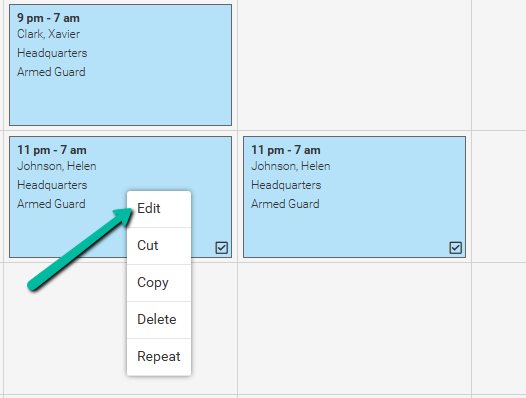
- Right-click on the shift you want to edit
- Select Edit
- The shift panel will open, where you can update the required details