eClock Alerts Notifications
Learn how to configure and manage eClock alerts in Schedule Xpress to receive real-time notifications for shift activity and exceptions.
eClock alerts keep you informed of shift activity by delivering real-time notifications through multiple channels, ensuring you can quickly respond to any issues.
Manage eClock Alert Notifications
eClock alerts can be received in several ways to keep you informed of shift activity in real time.
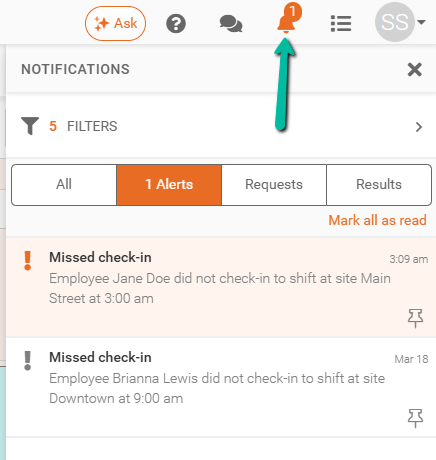
Notifications Panel
Notifications are primarily delivered through the Notifications Panel in Schedule Xpress, with additional delivery via email and SMS.
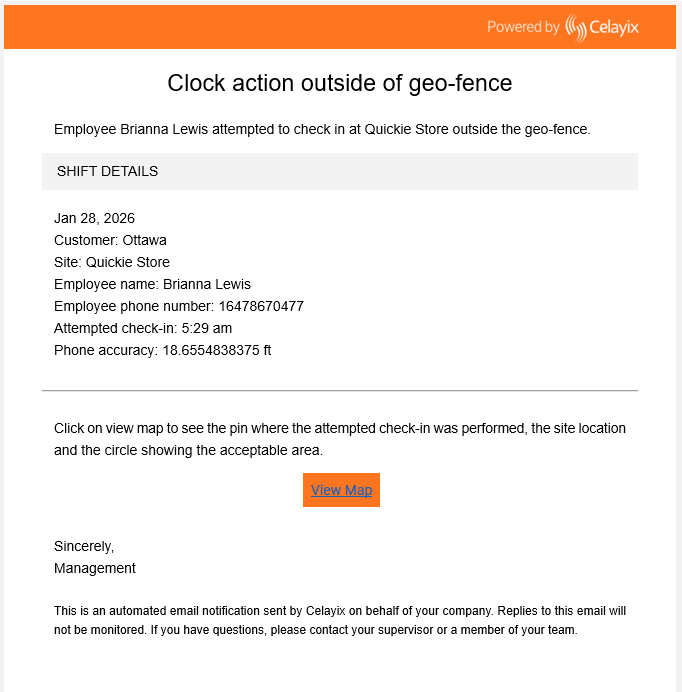
Email Notifications
Email notifications provide details of the alert and may vary slightly depending on your email provider.
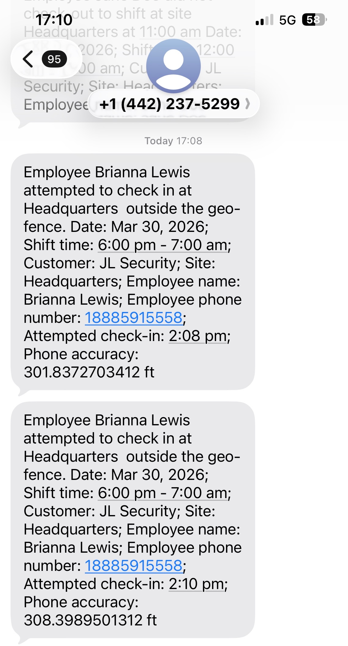
SMS Notifications
SMS notifications are also sent for selected alerts and will appear on the recipient’s device. Formatting may vary depending on the device used.