Manage Shift Drops
Manage Shift Drops to review, approve, and monitor employee shift drop requests. This allows you to ensure shifts are properly reassigned and schedule coverage is maintained while providing employees with flexibility.
Manage Shift Drop Requests
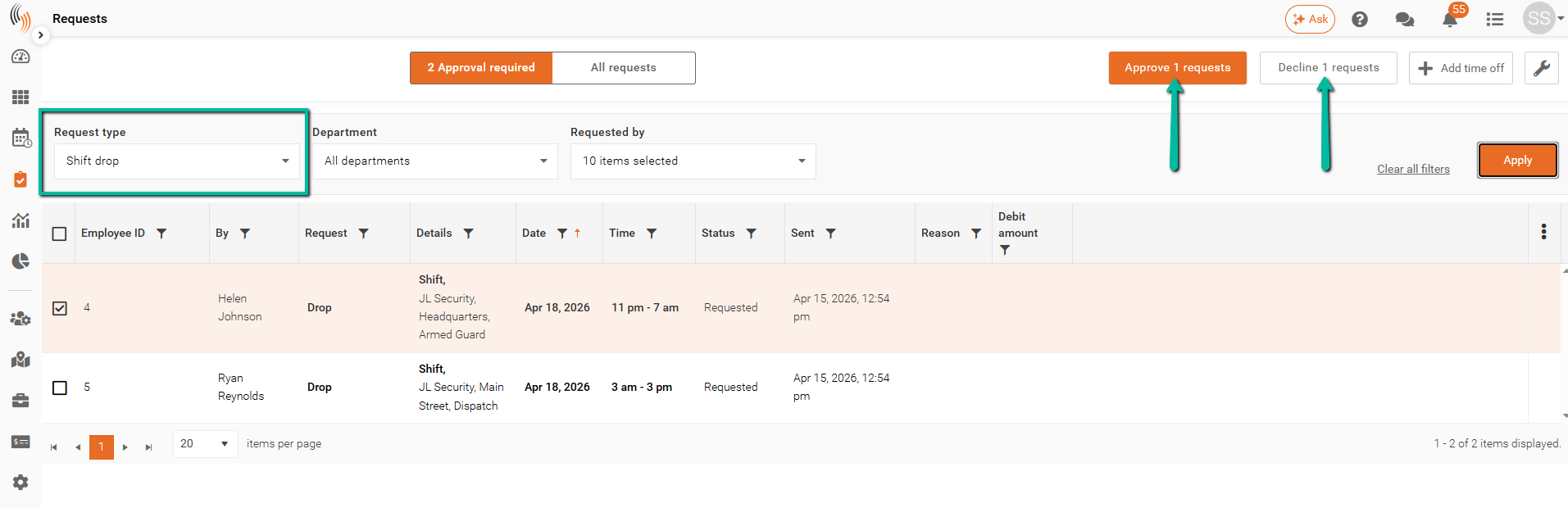
If Approval required to drop shift is enabled, you can manage requests in the Requests section.
- Set Request type to Shift drop
- Select a request
- Click Approve or Decline
Approval Outcome
- Approved
- Shift becomes Open
- A time off record is created (if enabled)
- Declined
- Employee remains assigned to the shift
Approved requests will display a status of Success.
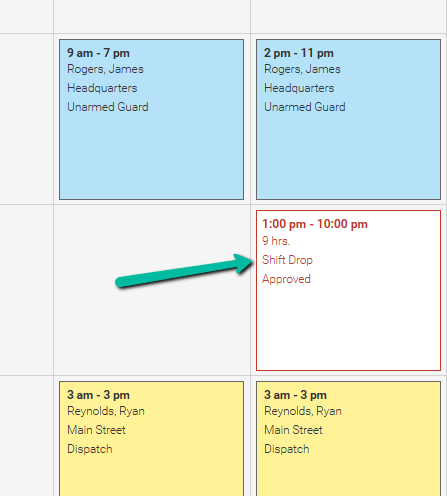
View Shift Drops in the Schedule
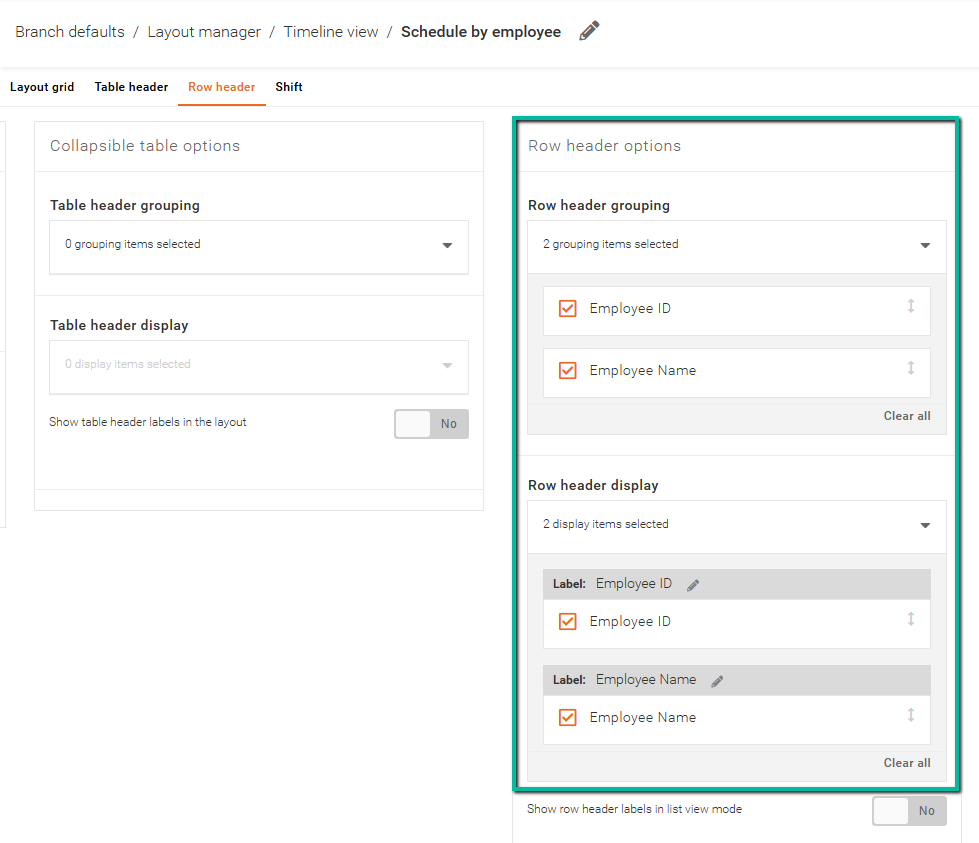
To display shift drops in the Schedule, click the settings cog and use an employee-centric layout that includes Employee ID and Employee Name in the Row header options.
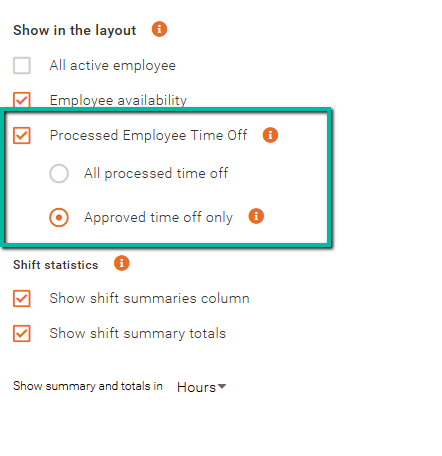
In the layout settings under Show in the layout, ensure Approved time off only is selected under Procesed Employee Time Off.
Shift drops will then be visible on the schedule. If you want to ensure that your Shift Drops are obvious, we'd recommend that you set them up to a Time off type labelled as Shift Drop.