
Create Find Replacement Filters
Find Replacement filters control which employees appear as eligible replacements for shifts. Proper configuration ensures accurate results and improves scheduling efficiency.
Find Replacement Filters Setup
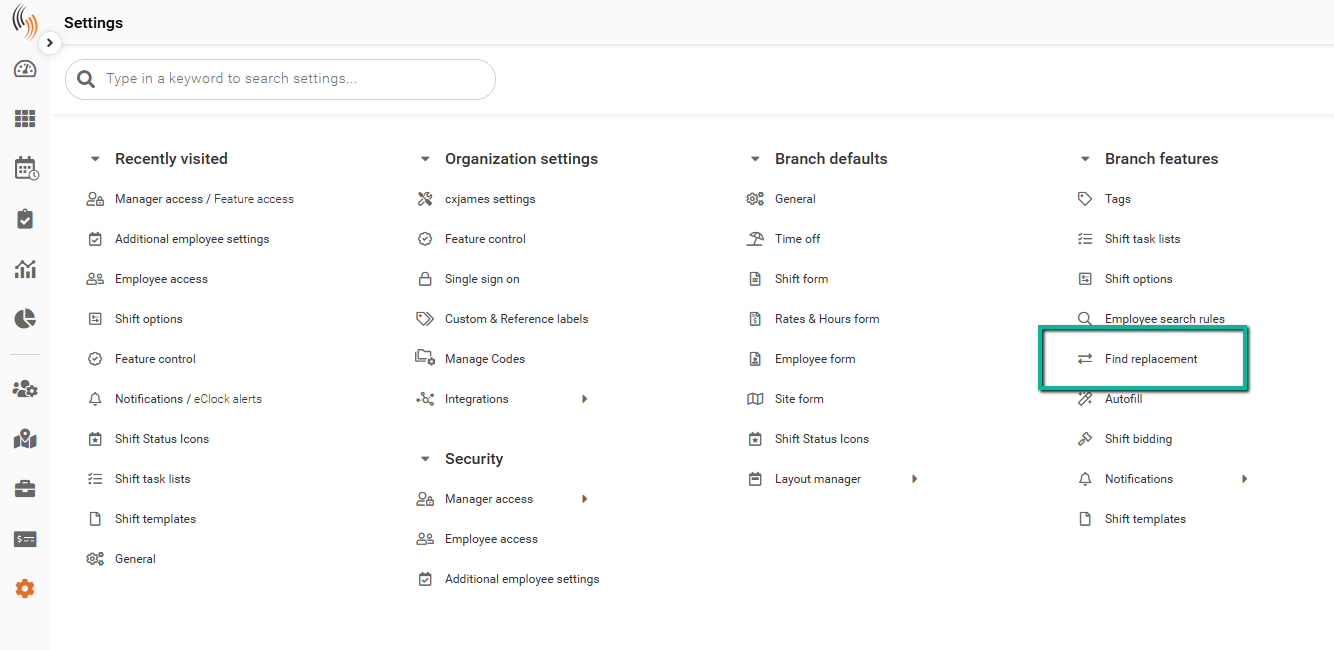
To access the Find Replacement filters setup, go to Settings → Branch Features → Find Replacement.
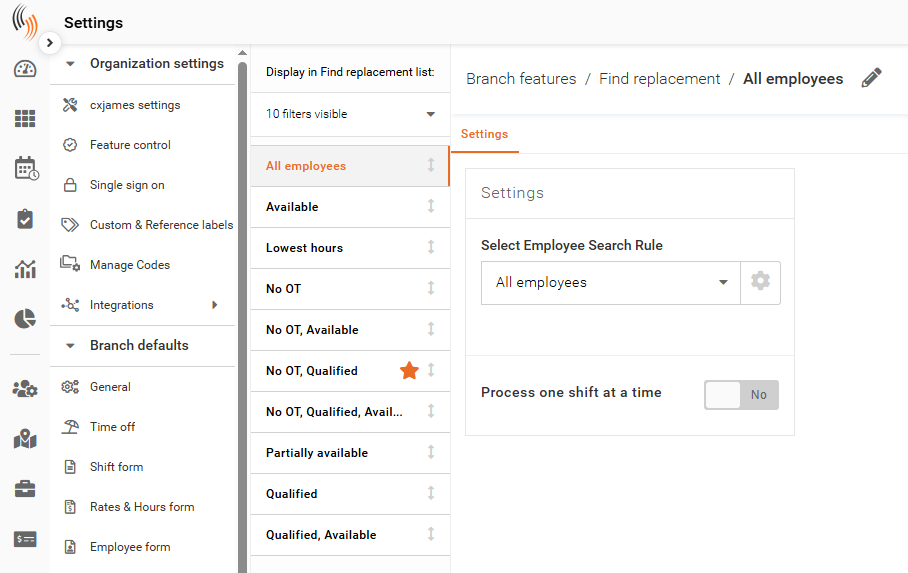
All existing filters are displayed in the left-hand sidebar.
Create, Clone, or Delete a Filter
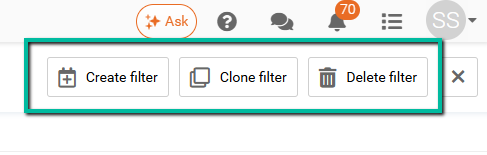
Use the options in the top-right corner to manage filters:
- Create a new filter
- Clone an existing filter
- Delete a filter
Choose an Employee Search Rule
The Employee Search Rule determines which employees are eligible when using the Find Replacement tool.
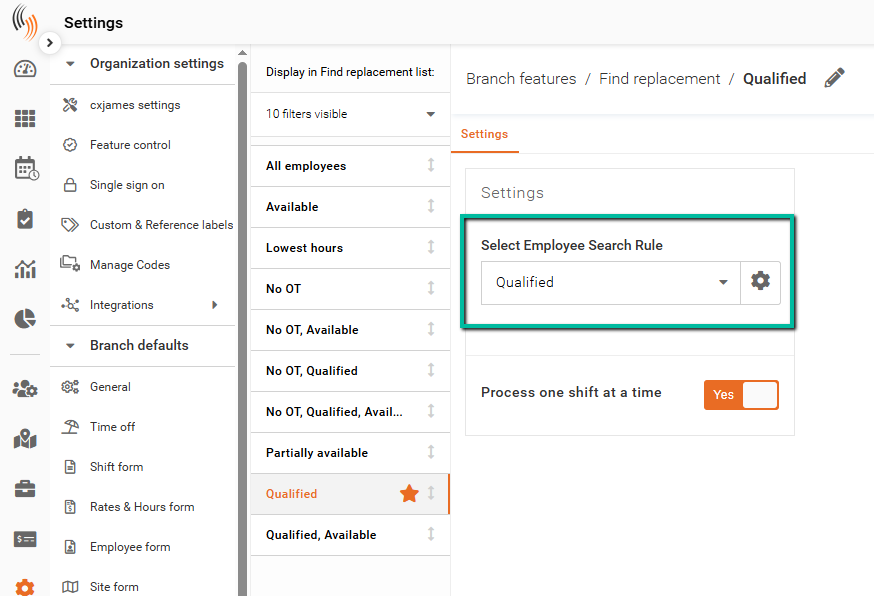
To select a rule, go to the Settings section of your Find Replacement filter and choose an option from the Select Employee Search Rule dropdown.
Each rule applies different criteria, such as availability, qualifications, or overtime restrictions, to filter the list of employees.
Selecting the appropriate rule ensures that only suitable employees are displayed when searching for replacements.
Learn how to create an Employee Search rule.
Set a Default Filter
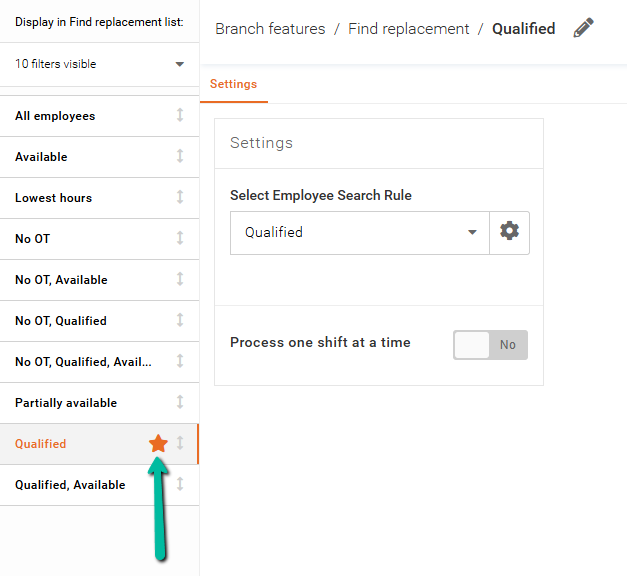
To set a filter as the default, click the star icon next to the filter name. The star will turn orange to indicate it is selected.
The default filter will appear at the top when using the Find Replacement tool.
Important: Default filters cannot be deleted. To delete one, you must first assign a different filter as the default.
Configure Process One Shift at a Time
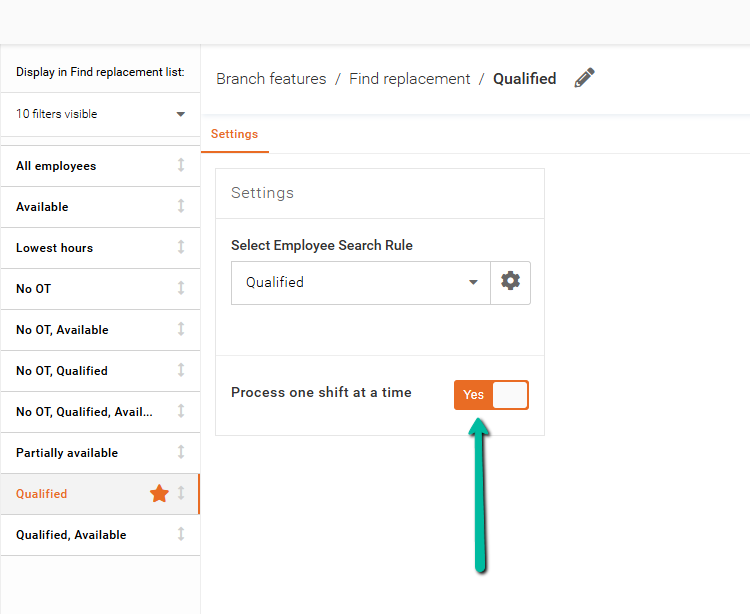
The Process One Shift at a Time setting controls how replacements are handled:
- When set to Yes, only one shift can be processed at a time
- When set to No, multiple shifts can be replaced at once
When multiple shifts are processed, eligible employees are listed based on the defined search criteria and sort order.
Next Steps
After setting up your filter, you can use it within the Find Replacement tool to search for available employees.
For more information, see the Find Shift Replacements article.