Set Employee Time Off Permissions
Control which time off types employees can see, request, and manage by configuring their access. These settings let you define approvals, cancellations, and visibility to ensure time off is handled correctly
Configure employee time off permissions to control which time off types employees can view, request, and manage. These settings determine access, approval requirements, and visibility, helping ensure time off is handled consistently and in line with your policies.
Access Employee Time Off Permissions
To configure employee time off permissions, you have two options:
- Go to Settings → Security → Employee Access, or
- Go to Settings → Branch Defaults → Time Off, then click Go to Employee access time off settings
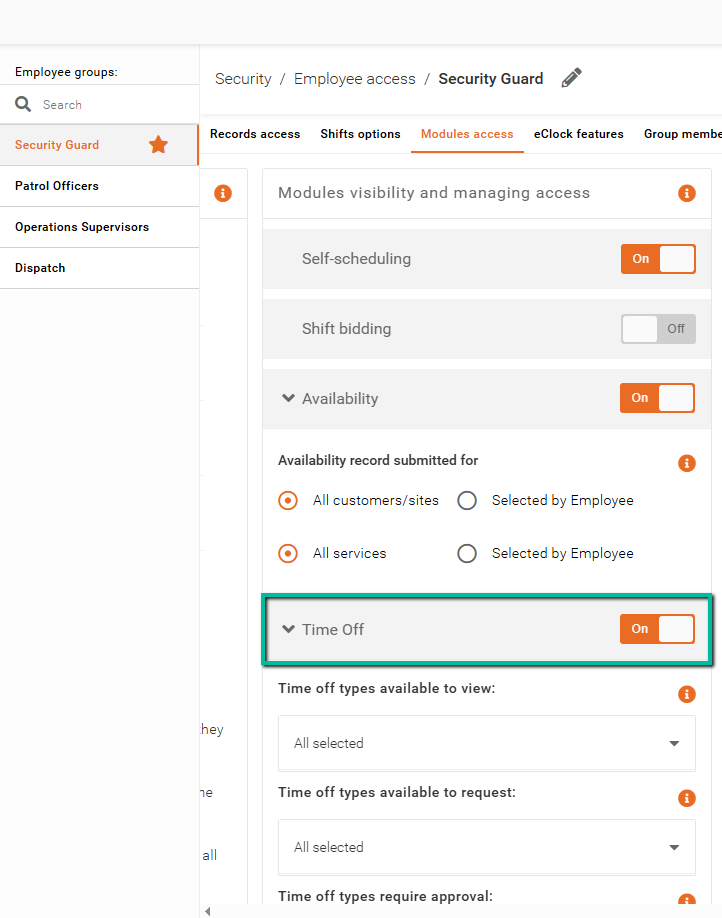
First, ensure the Time Off feature flag is set to On to enable access for employees.
Configure Time Off Permissions
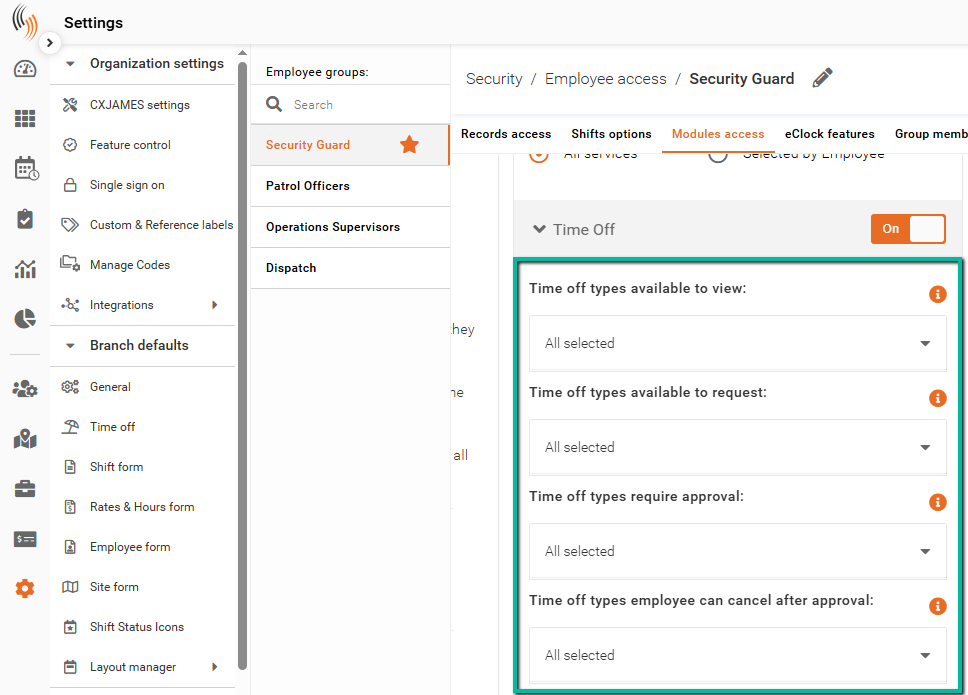
Next, define how employees can interact with time off types:
- Time off types available to view
Controls which time off types employees can see in the system. - Time off types available to request
Determines which time off types employees are allowed to request. - Time off types require approval
Specifies which time off types must be approved by an admin before being finalized. The time off types left unselected will not require approval. - Time off types employee can cancel after approval
Defines which approved time off types employees can cancel without manager involvement.
Configure Additional Options
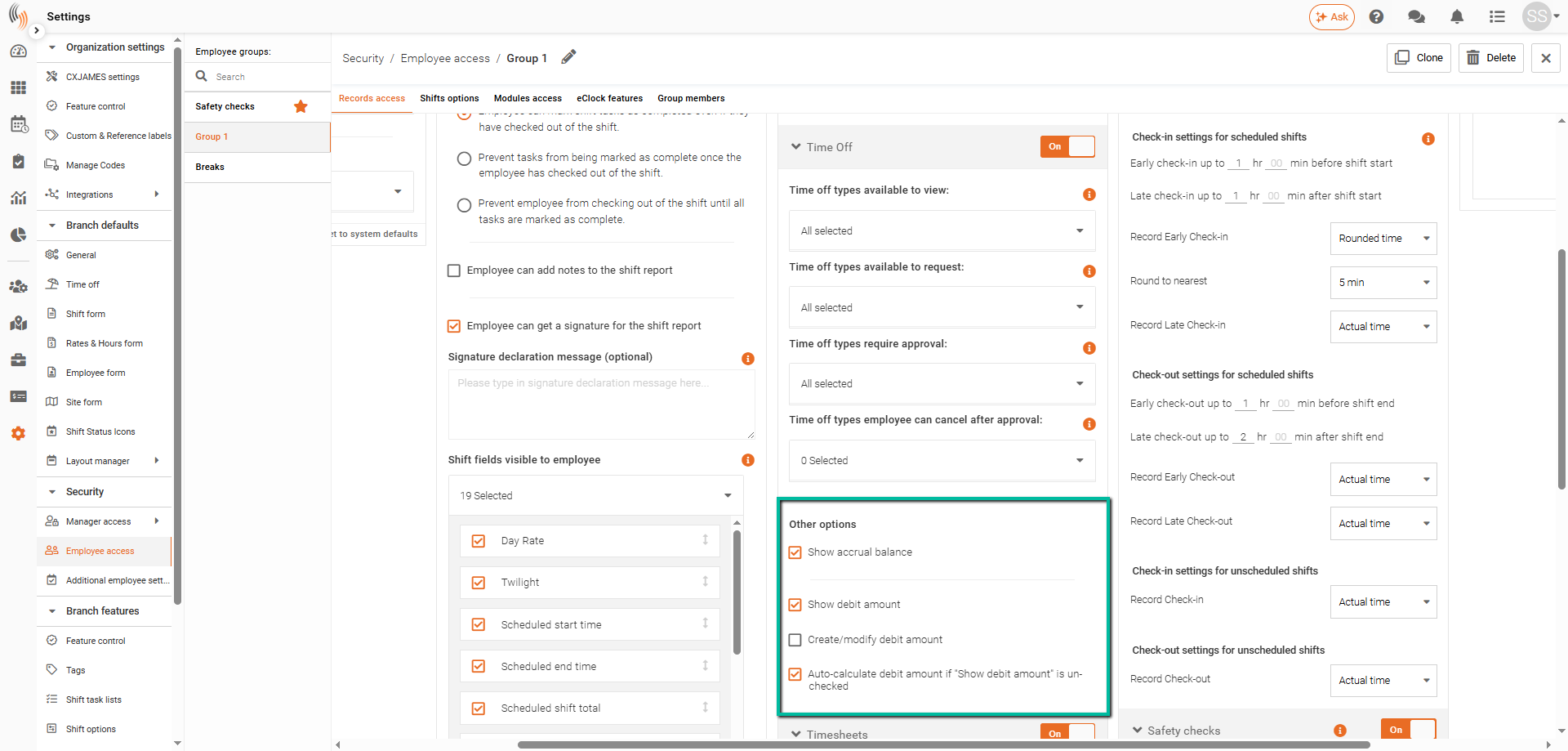
In the Other options section, you can choose to display:
- Accrual balances
- Time off debit amounts
To use these features, please contact support.