Add Time Off Requests for Employees
There may be times when an employee is unable to request time off on their own—such as during unexpected absences, extended leave, or administrative updates. In these cases, managers can add time off on the employee’s behalf in Schedule Xpress.
This article walks you through when and how to use this feature, as well as what to expect once the time off is added.
How to Add Time Off for Employees
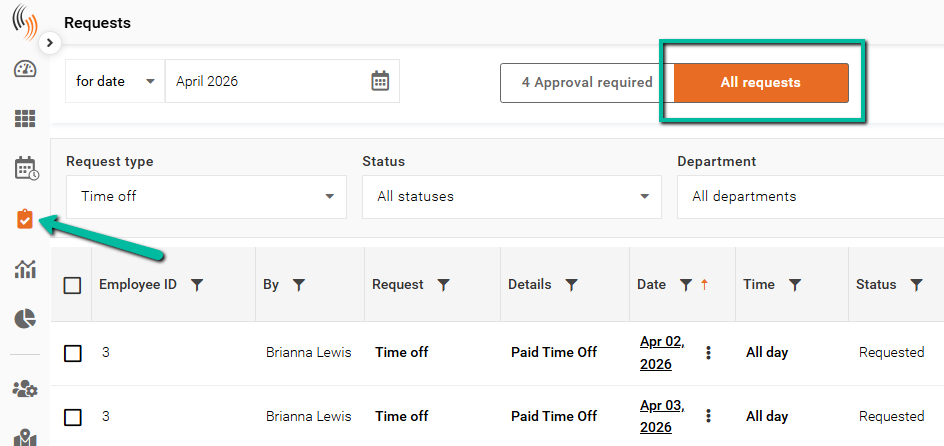
To add time off for employees, first go to the Requests section. Then, click on All requests.
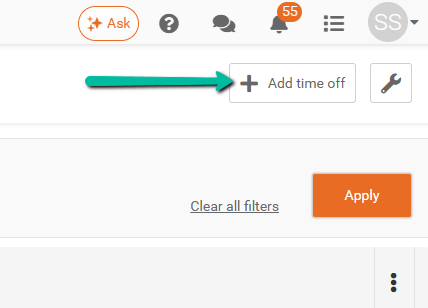
Then, click Add time off located in the top right corner.
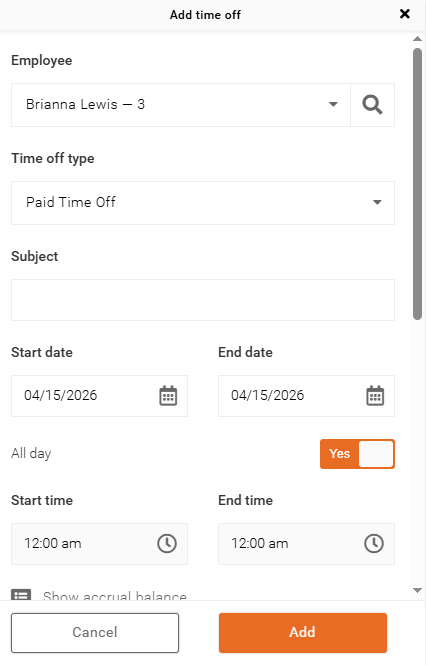
You will need to complete a time off request form, which includes:
- Employee
- Time off type
- Subject (if required)
- Start date
- End date
- All day (Yes or No)
- Start time (If All day is unselected)
- End time (If All day is unselected)
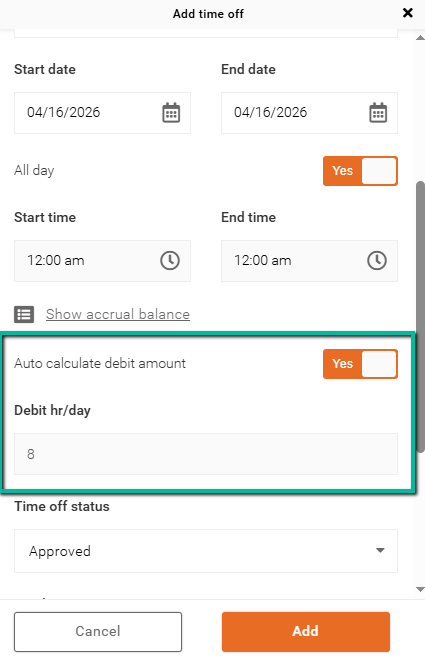
- Debit amounts (if required)
- Time off status
- Note (if required)
After filling out the time off request form, simply click Add.
Time Off That Overlaps a Scheduled Shift
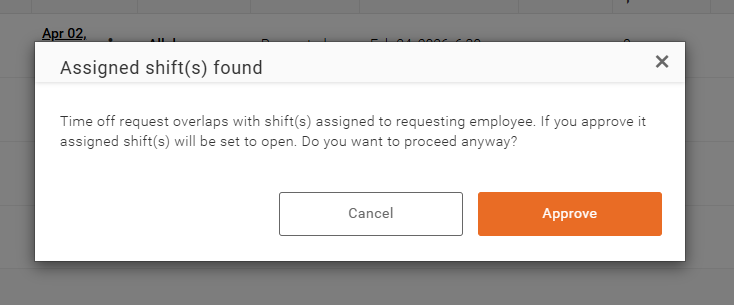
When a time off request overlaps with a scheduled shift, the system will display the following message:
"Time off request overlaps with shift(s) assigned to requesting employee. If you approve it, assigned shift(s) will be set to open. Do you want to proceed anyway?"
- Click Approve to proceed. The employee’s shift will be set to Open, allowing the time off to be applied and the shift to be reassigned.
- Click Cancel if you do not want to override the existing shift.
Setting Debit Amounts
This setting impacts how debit amounts are calculated and applied.
- Select Yes for Auto calculate debit amount to have the system apply debit values based on your configured thresholds.
- Select No to manually enter a debit amount.
If you're unsure about your debit thresholds, please contact support for assistance.