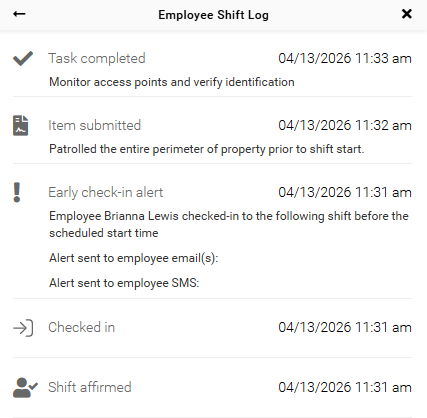
Employee Shift Log
View and track detailed, time-stamped employee activity for each shift.
The Employee Shift Log provides a detailed record of employee activity for each shift. It allows admins to review actions, track changes, and maintain accurate records for oversight and compliance.
Access Employee Shift Log
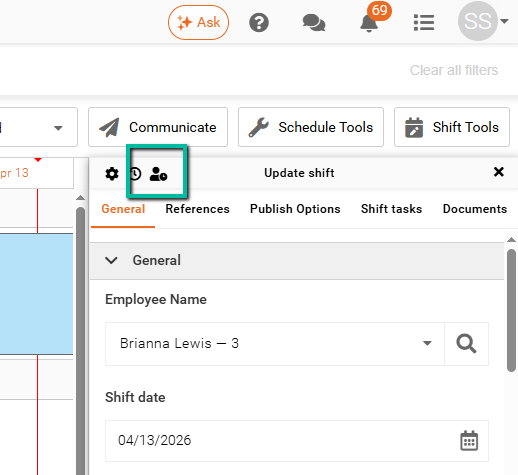
To access the Employee Shift Log, open a shift and locate the icon in the top-left corner of the Update Shift panel.
The icon appears as a person with a clock.
View Shift Log Details
The Employee Shift Log displays a complete, time-stamped record of activity for the selected shift. This includes:
- Check-in and check-out times
- Break periods (start and end times)
- Safety check completions
- Submitted shift notes
- Completed shift tasks
- eClock alerts
- Employee signatures
- Shift affirmations
Only records related to the selected shift are shown.