
Employee Availability Settings
Configure Employee Availability Settings to control when employees can submit availability.
Configure Employee Availability Settings to control when employees can create and modify their Availability records.
Access Employee Availability Settings
To configure these settings, go to:
Settings → Security → Additional Employee Settings
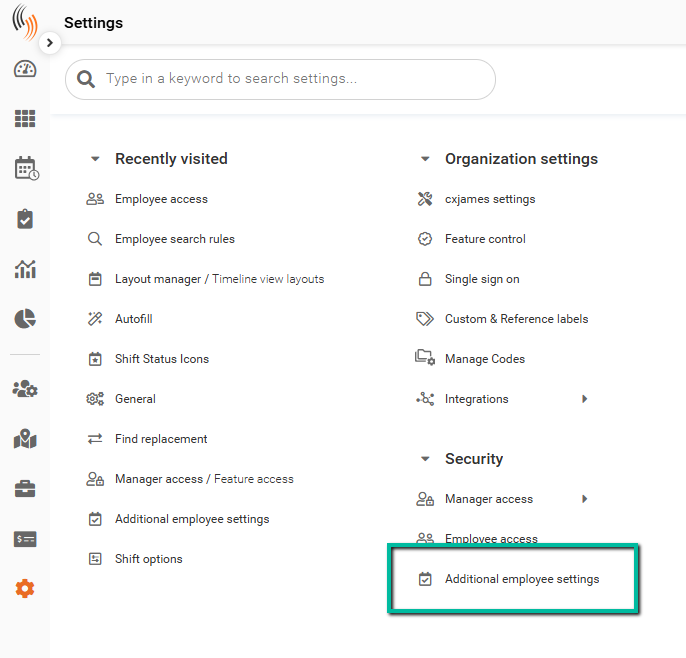
Under Employee Availability Settings, you can define the allowed date range for Availability submissions.
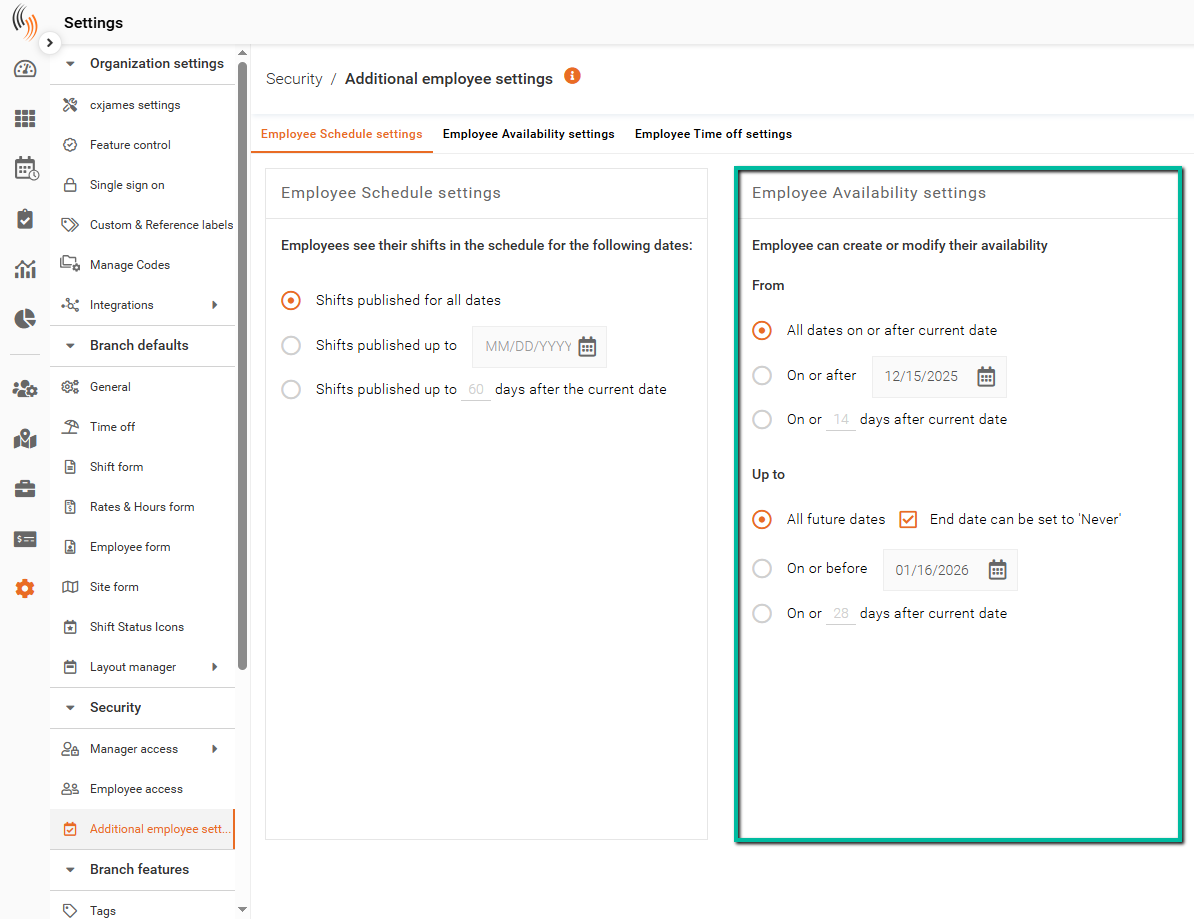
Configure Availability Date Range
Employee Availability Settings control the From and Up To dates that employees can select when submitting Availability.
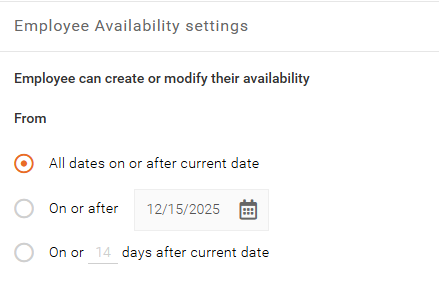
From Date Options
These settings determine how early Availability can begin:
- All Dates on or After Current Date
Employees can select the current date or any future date. - On or After a Specific Date
Employees can only select dates on or after a defined date. - On or X Days After Current Date
Employees can select the current date or a limited number of days into the future.
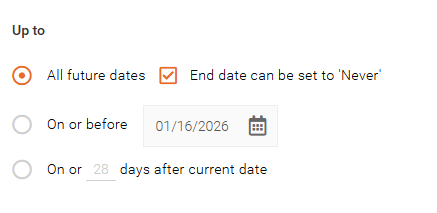
Up To Date Options
These settings determine how far into the future Availability can be submitted:
- All Future Dates
Employees can submit Availability for any future date. You can also allow Availability to be submitted with No End Date. - On or Before a Specific Date
Employees can only submit Availability up to a defined end date. - On or X Days After Current Date
Employees can submit Availability only within a specified number of days into the future.
Why This Matters
These settings help control how far in advance employees can submit Availability, ensuring scheduling remains accurate and aligned with operational needs.