
Affirm Shifts
Review and confirm important shift information before checking in to ensure you have everything needed for your shift.
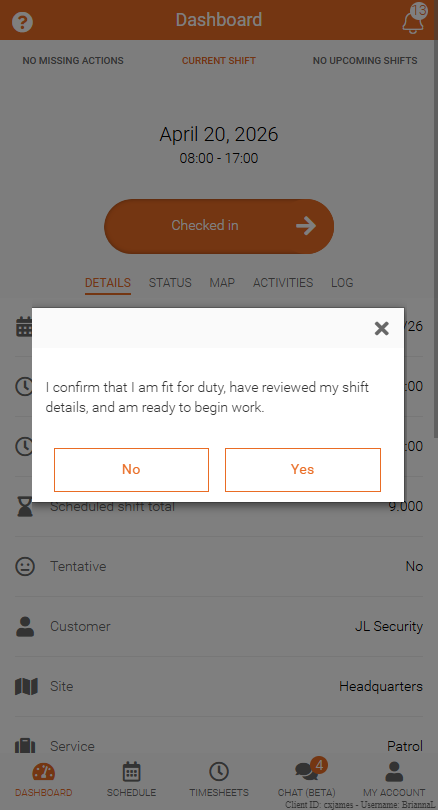
Shift affirmation requires you to acknowledge a statement before completing check-in. This helps confirm understanding of company policies, shift details, or important instructions.
Note: This is an optional feature and may be enabled by your company.
What to Expect
Before checking in, you may see a confirmation screen with details about your scheduled shift.
To continue:
- Review the shift details and affirmation message
- Click Confirm to proceed with check-in if it is required
Respond to a Shift Affirmation
When a shift affirmation appears, you must acknowledge it to continue.
To proceed:
- Review the message
- Select Yes
- Click Confirm
If you select No, you will not be able to check in to your shift.
If You Cannot Continue
If your settings do not allow you to decline a shift affirmation, an error message will appear when No is selected.
In this case, you must accept the affirmation to proceed with check-in.