Enable Shift Affirmations
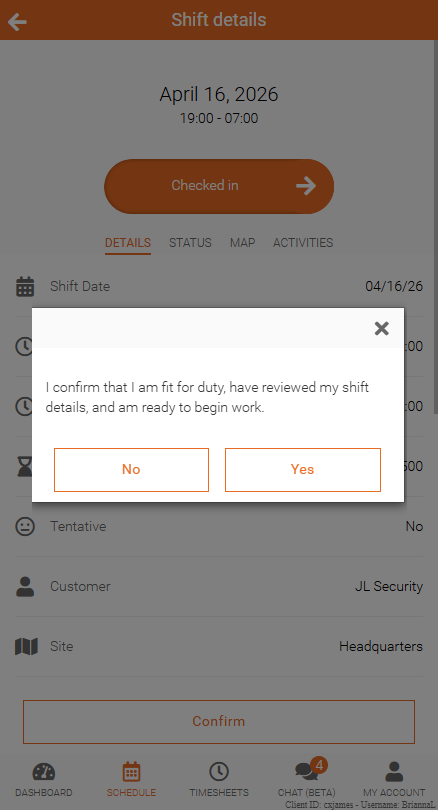
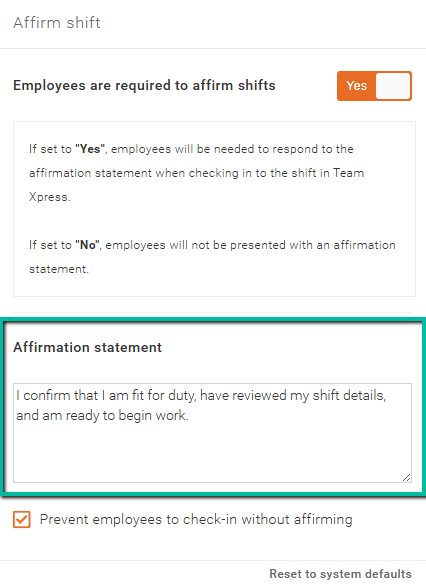
The Shift Affirmation feature allows you to display important information that employees must acknowledge before clocking in. This statement appears before employees Slide to Check In to their shifts.
Access Shift Affirmation Settings
To access your Affirm Shift setup:
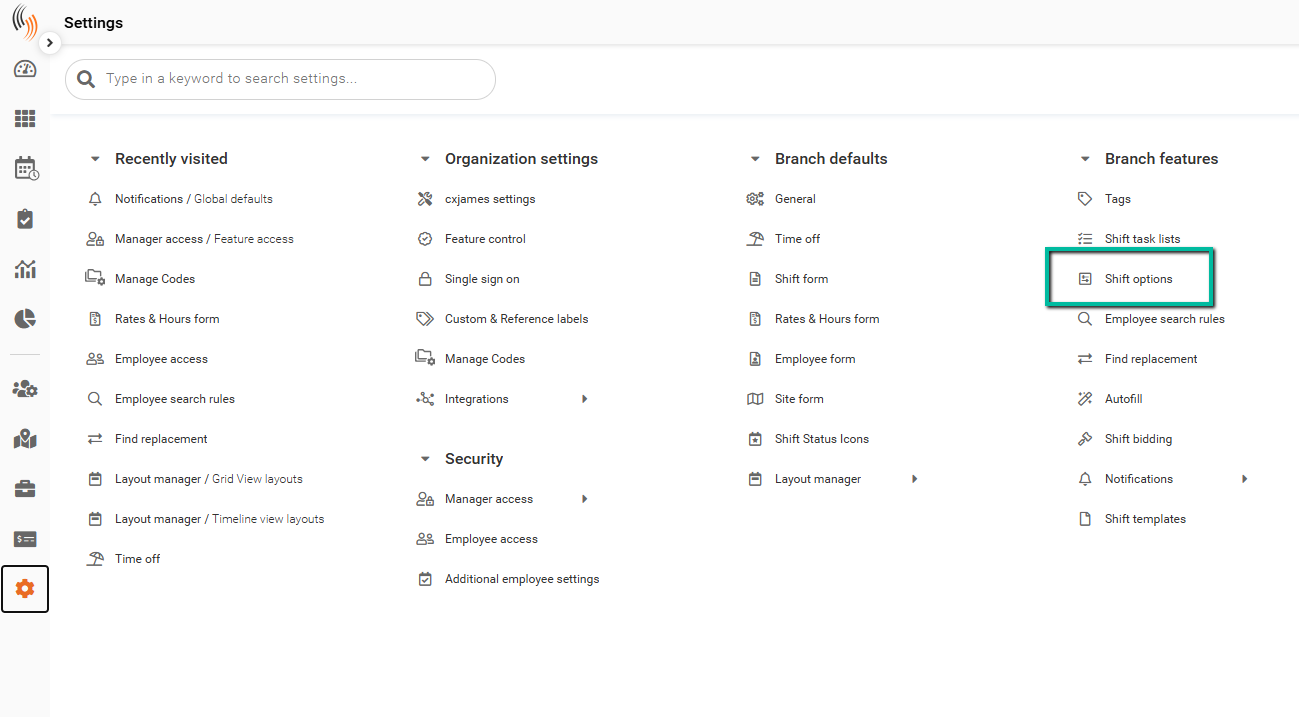
Settings → Branch features → Shift options
Enable Shift Affirmations
You can enable Shift Affirmations by setting the toggle to Yes under Shift options.
Affirmation Statement
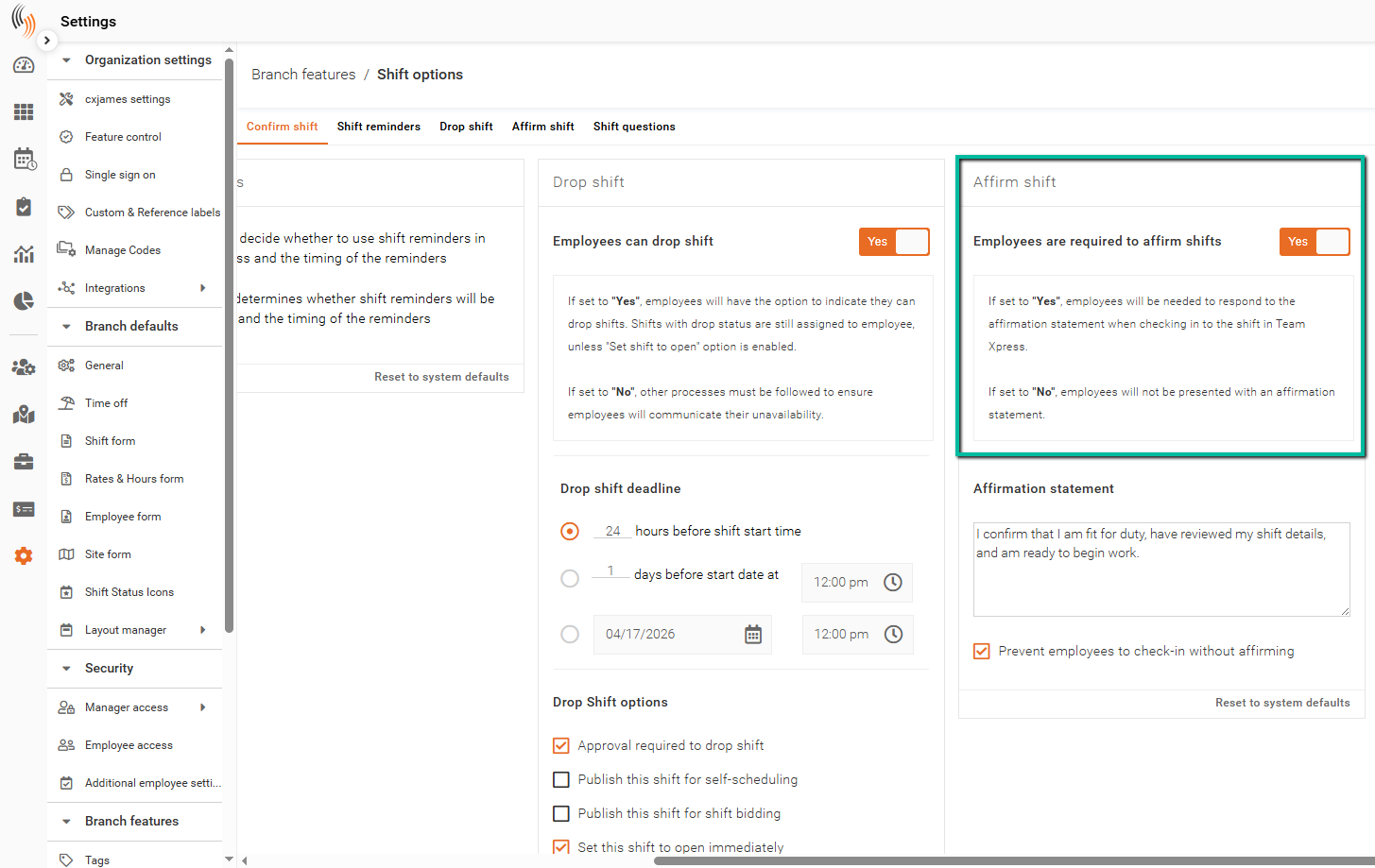
Customize the Affirmation Statement to communicate important information to employees before they check in to their shift.
Require Affirmation Before Check-In
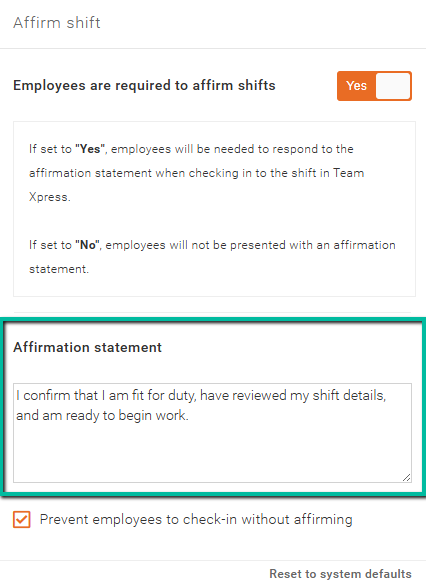
Enable this option to require employees to agree to the affirmation statement before checking in.
If an employee selects No, they will not be able to check in and will see an error message.
How Employees See Shift Affirmations in Team Xpress
When Shift Affirmations are enabled, employees will see the affirmation statement before they can Slide to Check In to their shift in Team Xpress, as shown below.