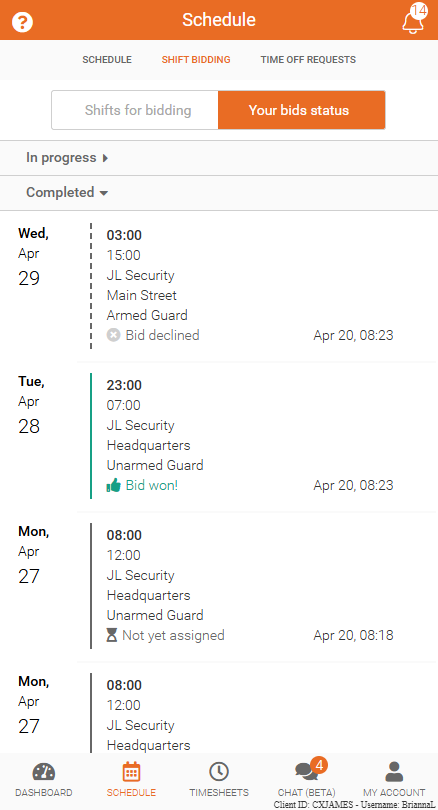
Shift Bid Status
View and track the status of shift bids, including pending and completed results, in Team Xpress.
Track the status of shift bids to see whether requests are pending or completed.
The Your Bids section provides visibility into all submitted bids, making it easy to understand the outcome of each request.
View Bid Status
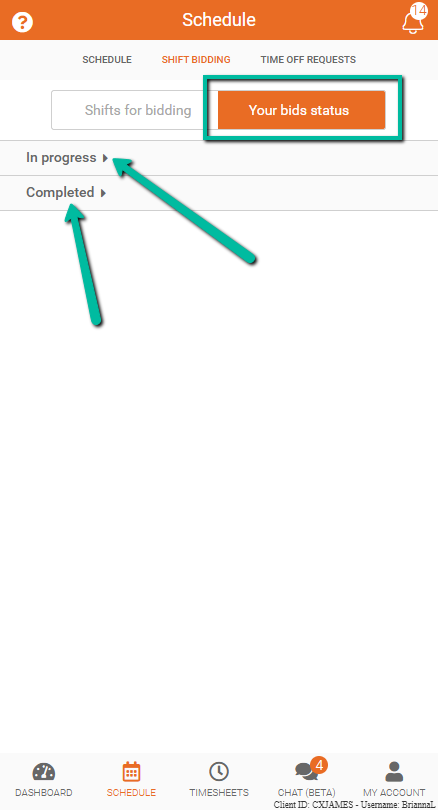
Bids are organized into two tabs for easy review:
- In Progress
- Completed
These options can be collapsed and expanded.
In Progress
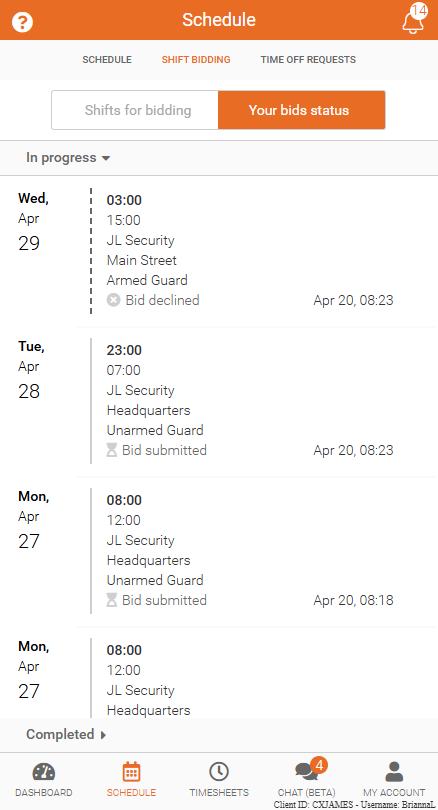
The In Progress tab shows bids that are still being reviewed.
- Status will display as Bid Submitted
- These shifts are awaiting a final decision
The bid decisions will be made only after the deadline has passed.
Completed
The Completed tab shows bids that have been finalized.
Each shift will display one of the following statuses:
- Bid Won – The shift has been assigned to you
- Bid Lost – The shift was assigned to another employee
- Bid Declined – The shift was declined
- Bid Cancelled – The shift was removed from bidding