
Cancel a Time Off Request
Cancel pending or approved time off requests directly in Team Xpress, depending on company settings.
Cancel a time off request when availability changes.
Time off requests can be cancelled directly in Team Xpress. Depending on company settings, both pending and approved requests may be eligible for cancellation.
Cancel a Requested Time Off
To cancel a pending request:
- Go to Time Off Requests
- Select the request with Requested status
- Click Cancel Request
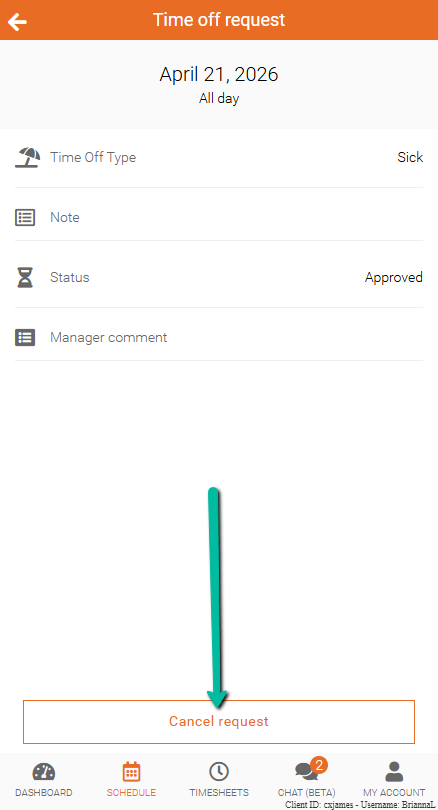
Cancel Approved Time Off
If allowed, approved time off can also be cancelled.
To cancel an approved request:
- Go to Time Off Requests
- Select the approved request
- Click Cancel Request
Note: The ability to cancel approved time off depends on company settings. If you have this option, we'd encourage you to check what your cancellation deadline is.