Site Qualifications
Define qualification requirements for sites to ensure only eligible employees can be scheduled at each location.
Site Qualifications allow administrators to assign required competencies to individual sites, ensuring that only employees with the appropriate credentials can be scheduled at each location.
Enable Qualifications in Site Form
If the Qualifications section is not visible in the site profile:
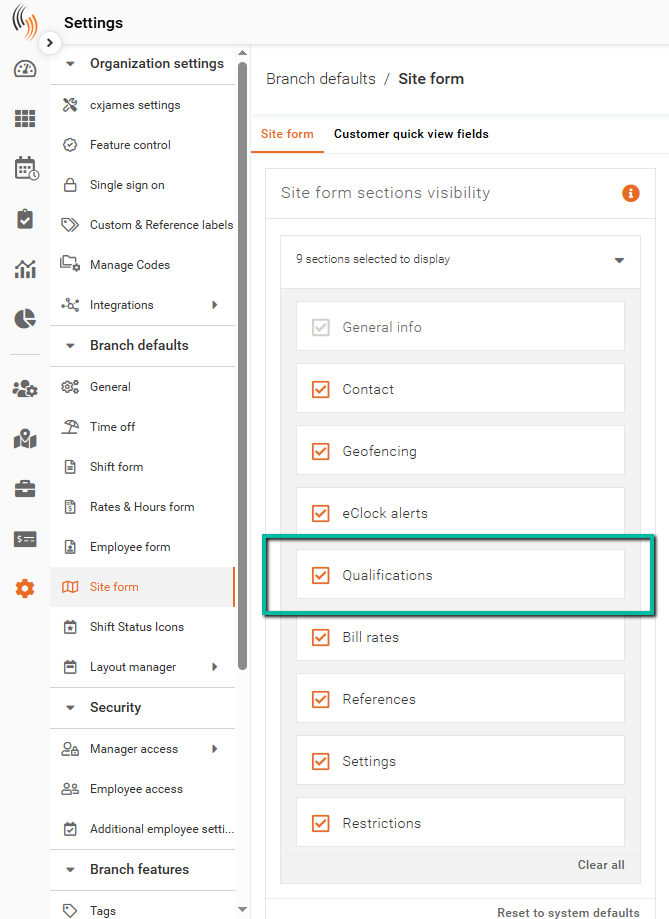
- Navigate to Settings → Branch defaults → Site form
- Locate Site Form Sections Visibility
- Ensure Qualifications is selected
Once enabled, the Qualifications tab will appear in site profiles.
Add a Qualification to a Site
There are two types of qualifications that can be applied to a site:
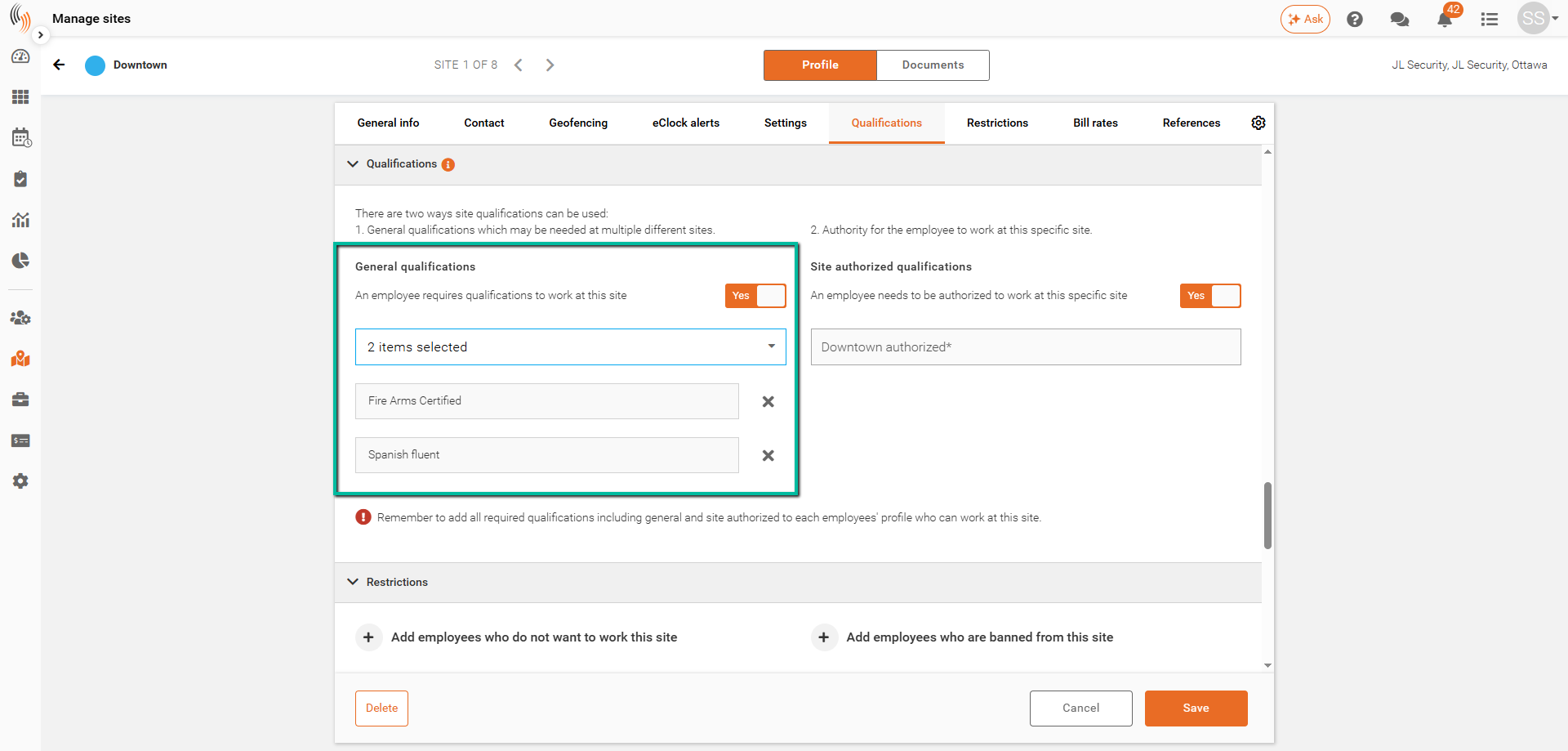
- General Qualifications – Define the required skills or certifications needed to work at the site. Only employees with these qualifications in their profile can be scheduled there.
- Site Authorized Qualifications – Provide an additional level of control by specifying which employees are authorized to work at that specific site, beyond just having the required qualifications.
To apply a qualification to a site:
- Navigate to Manage Sites and select the relevant site
- Open the Qualifications section
- Enable either General qualifications or Site authorized qualifications as needed
- Select a qualification from the dropdown, or type a new one and click Create New
- Click Save
Once applied, only employees who meet the selected qualification criteria will be eligible to work at that site.