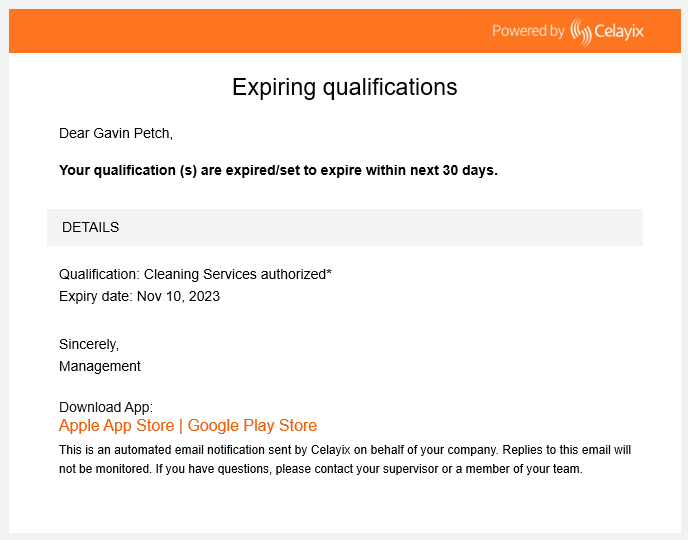
Notifications for Expiring Qualifications
Admins can track expiring qualifications and automatically notify both admins and employees when credentials are close to expiring.
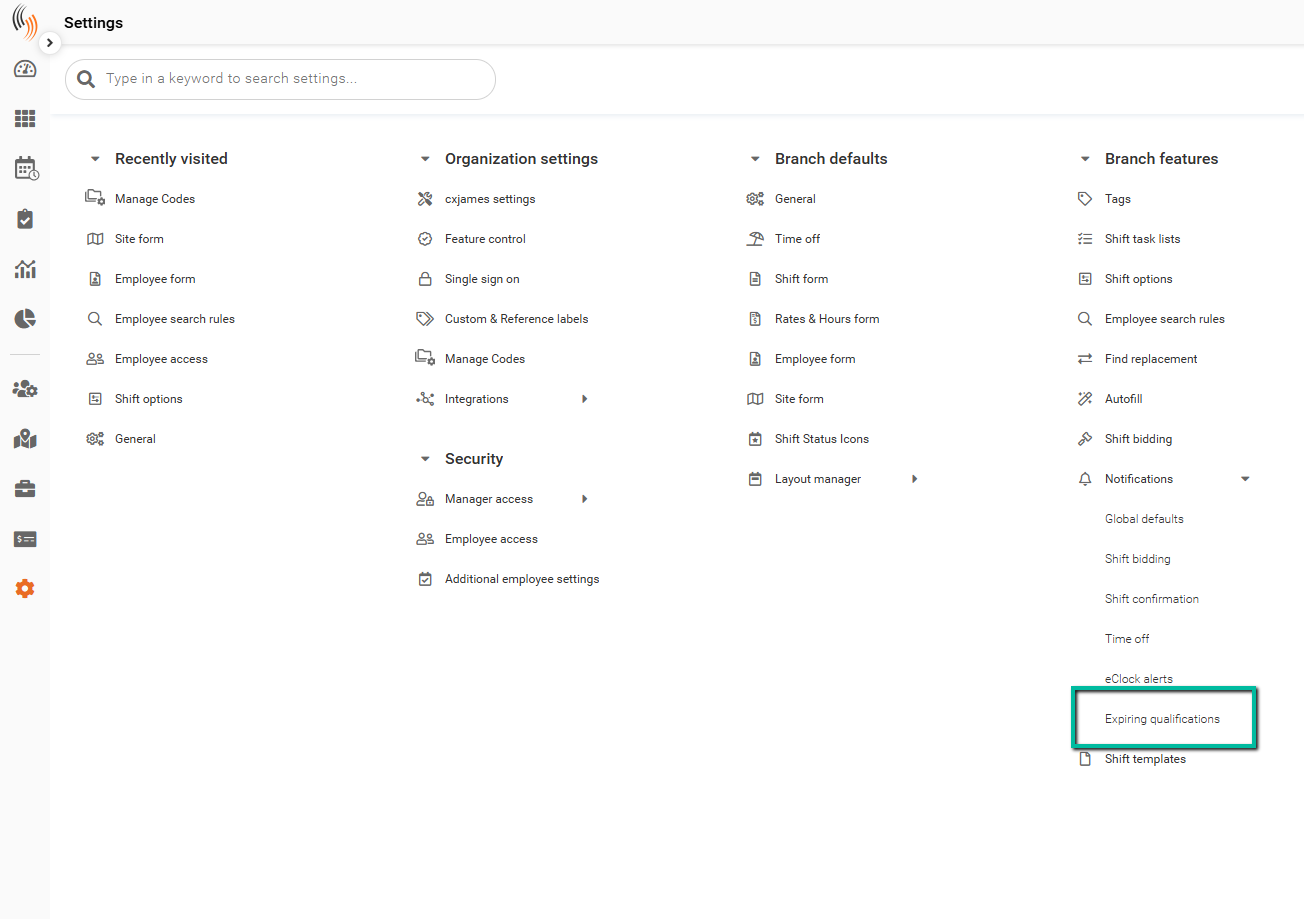
Access Expiring Qualification Settings
To configure this feature:
Settings → Branch features → Notifications → Expiring qualifications
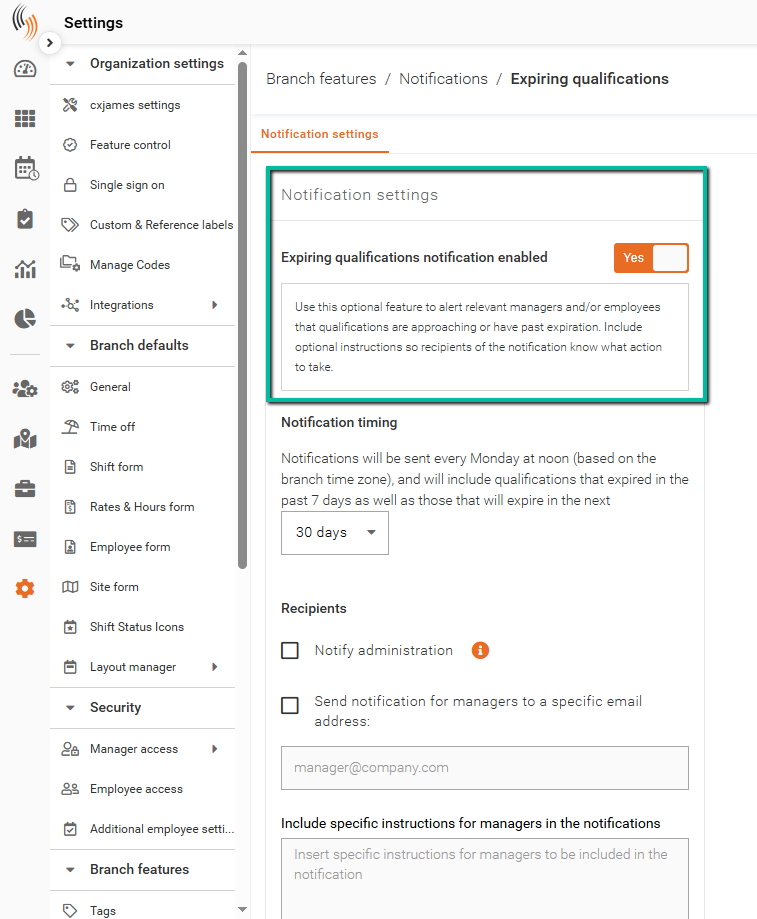
Enable Expiring Qualification Notifications
To begin, set Expiring qualifications to Yes.
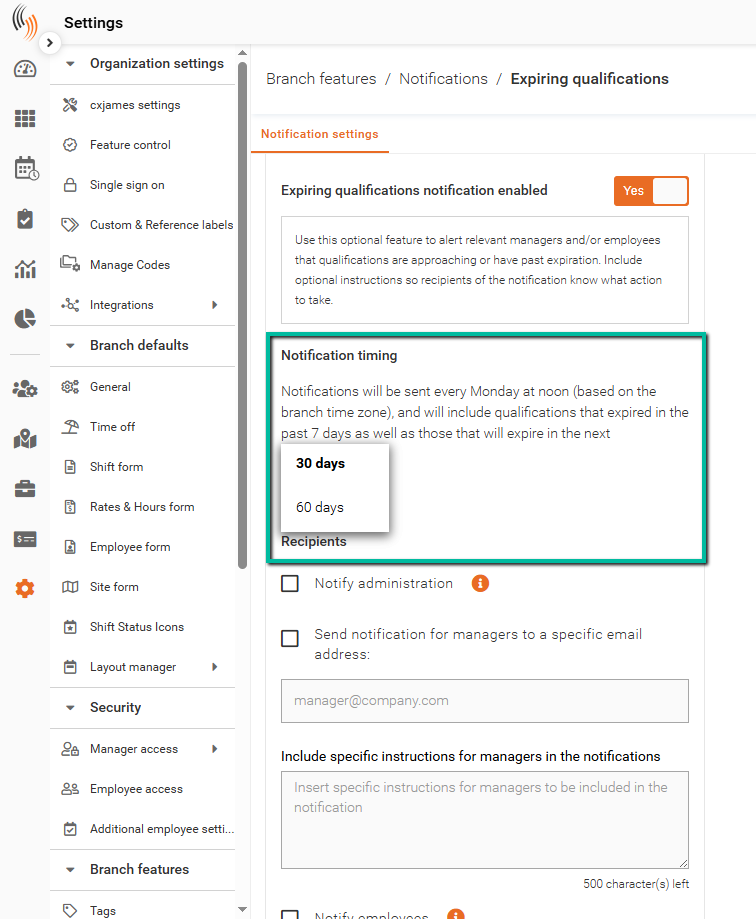
Notification Timing
Notifications are sent weekly every Monday at 12:00 PM (branch time zone) and include:
- Qualifications that expired in the past 7 days
- Qualifications expiring in the next 30 or 60 days
Notification Recipients
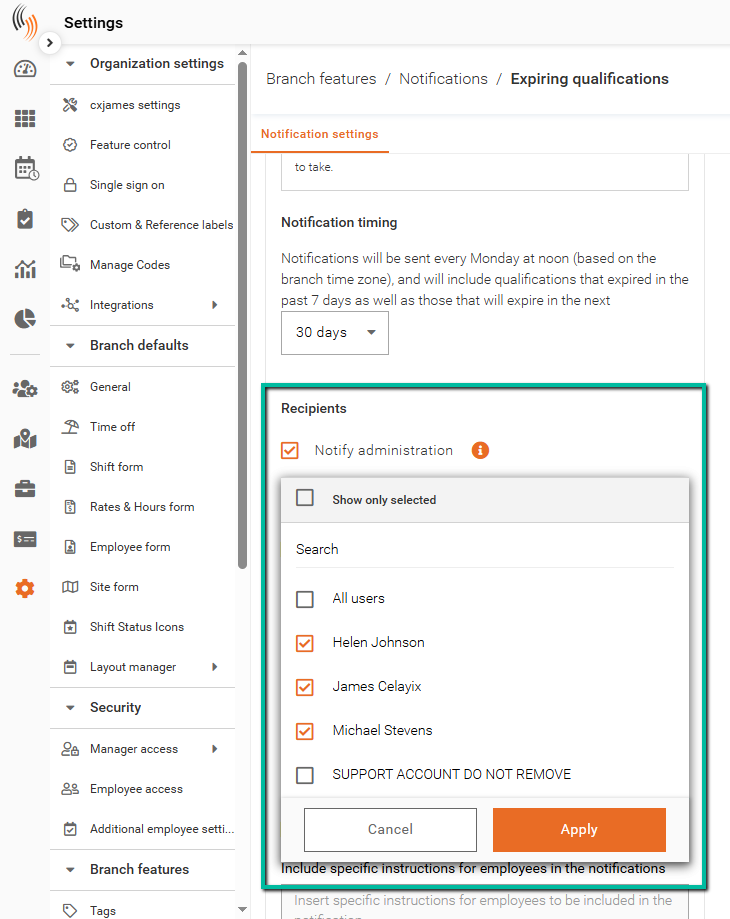
Notify Administration
Select which admin users will receive notifications.
- Notifications are sent to the email associated with each selected account
- Click Apply to confirm selections
- Admins only receive notifications for employees within their Record access group(s)
Send Notifications to Managers
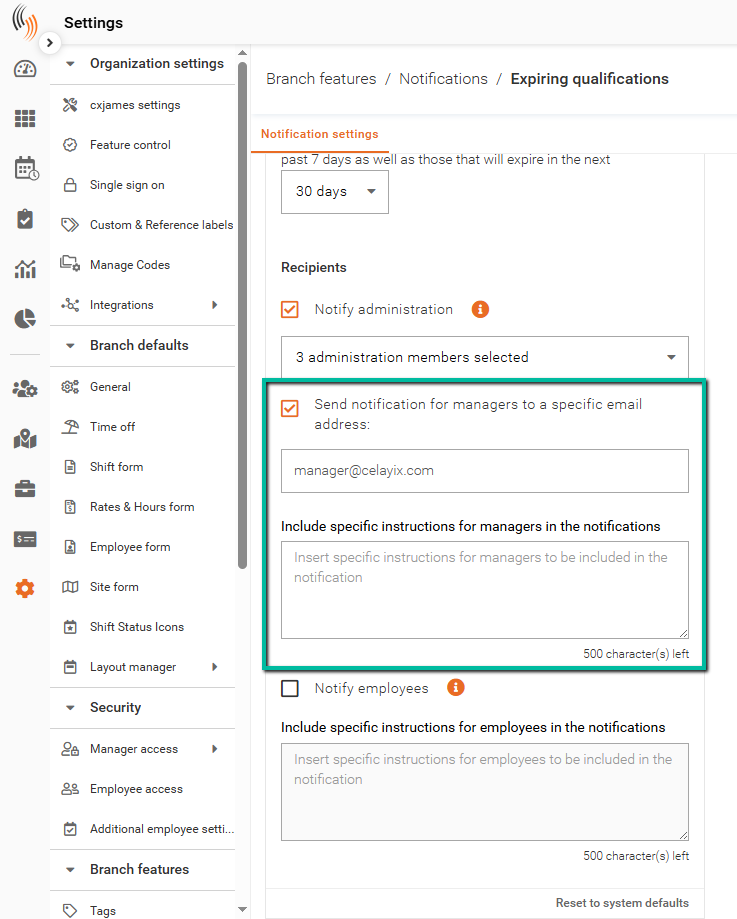
Enable this option to send notifications to specific manager email addresses.
- Enter multiple email addresses separated by semicolons (;)
- Optional instructions can be included in the notification
Note: Emails entered here receive notifications for all employees across the organization.
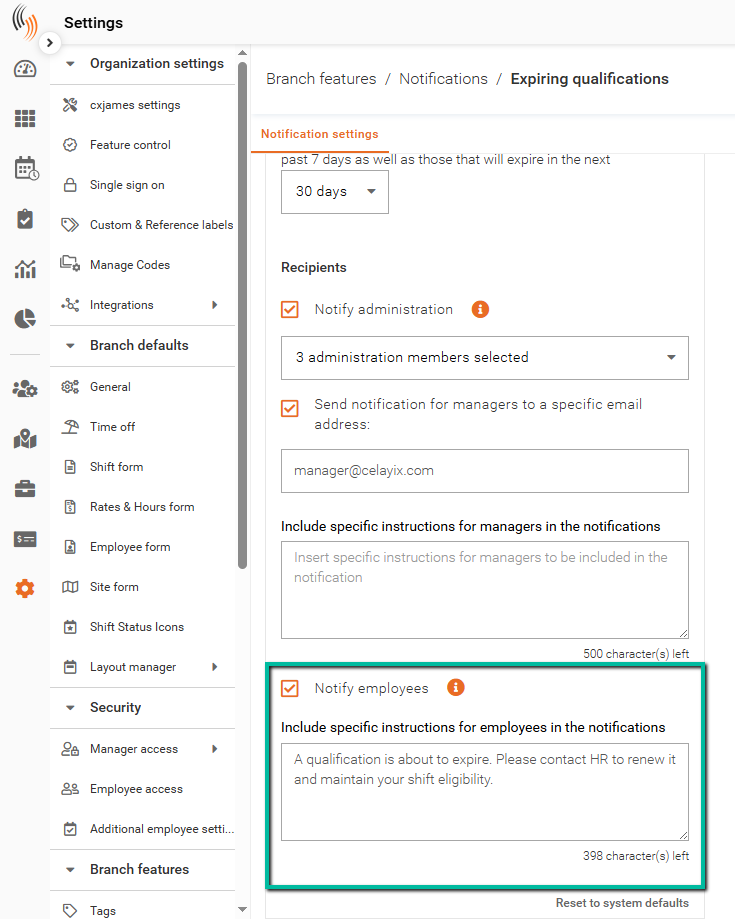
Notify Employees
When enabled, employees will receive notifications through:
- In-app notifications in Team Xpress
- Push notifications
- Email and/or SMS (if opted in)
You can also include additional instructions for employees if action is required.
Note: Scheduler email addresses configured in Global Defaults will be copied on all employee email notifications.
Expiring Qualification Notifications
Notifications for expiring qualifications are sent to both admins and employees with relevant details to support timely action.
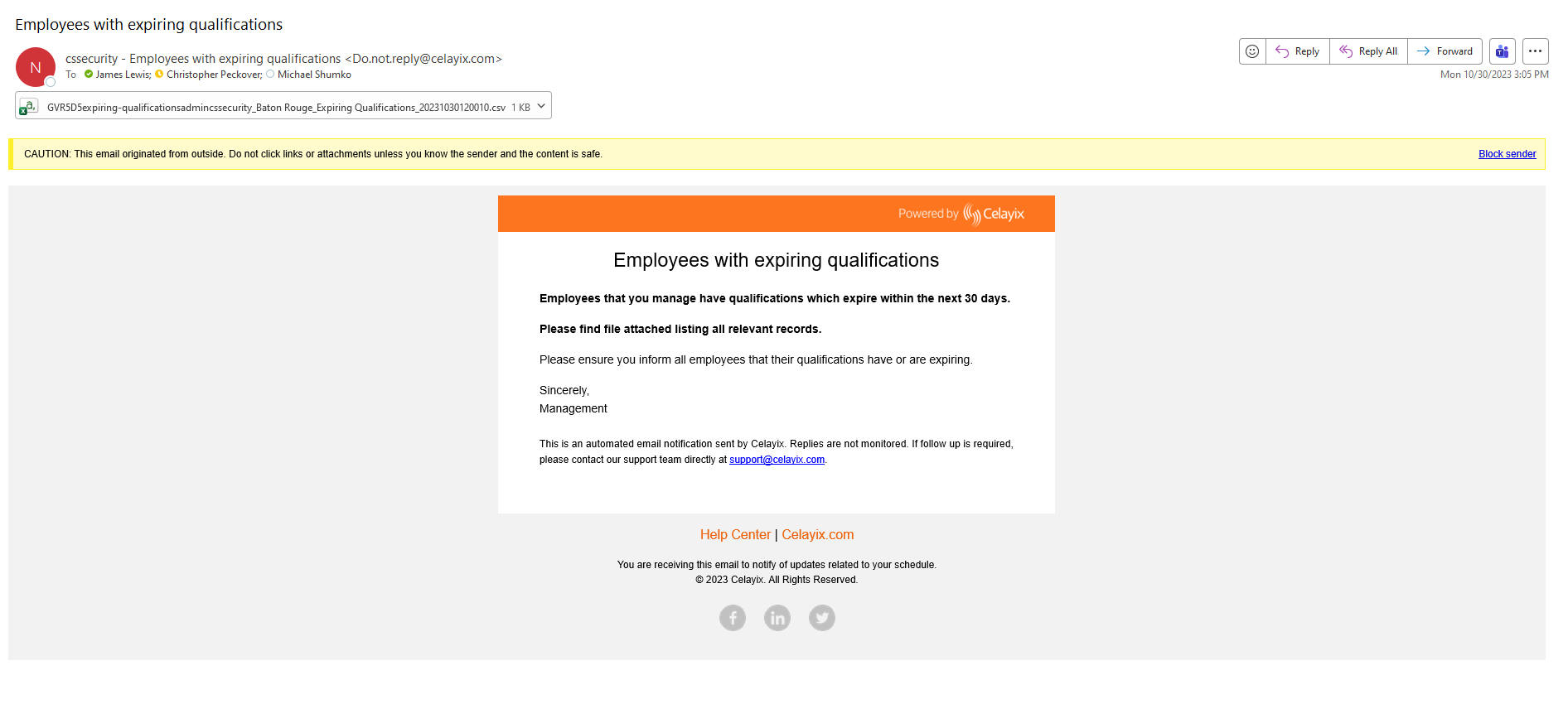
Admin Notifications
Admins receive an email notification that includes:
- A summary of employees with expiring or recently expired qualifications
- A .CSV file attachment containing detailed data for reporting and compliance
Employee Notifications
Employees receive notifications with key details about their expiring qualifications, including:
- The name of the qualification
- The expiration date
- Instructions on what action to take (e.g., contact HR or renew certification)
Notifications may be delivered via:
- Email and/or SMS (if opted in)