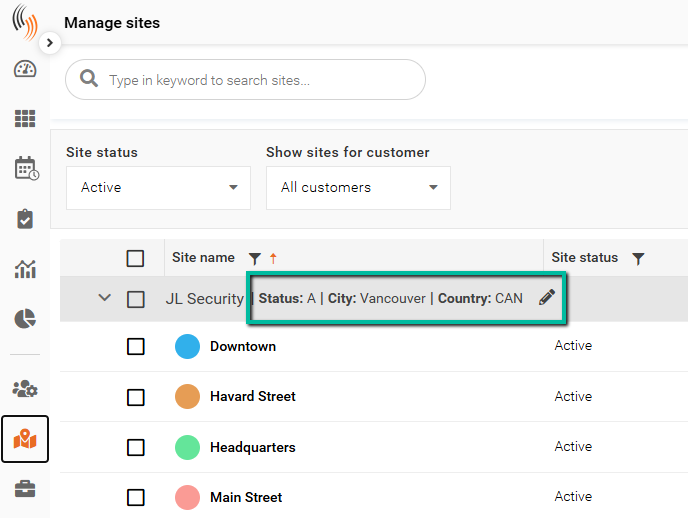
Configure Site Form
The Site Form determines which data fields are visible and available for entry within site profiles in the Manage Sites section of Schedule Xpress. This allows administrators to customize what information is captured and displayed, ensuring only relevant fields are shown to users.
Access Site Form
You can access the Site Form in two ways:
- From a site profile by clicking the settings (gear) icon
- Settings → Branch defaults → Site form
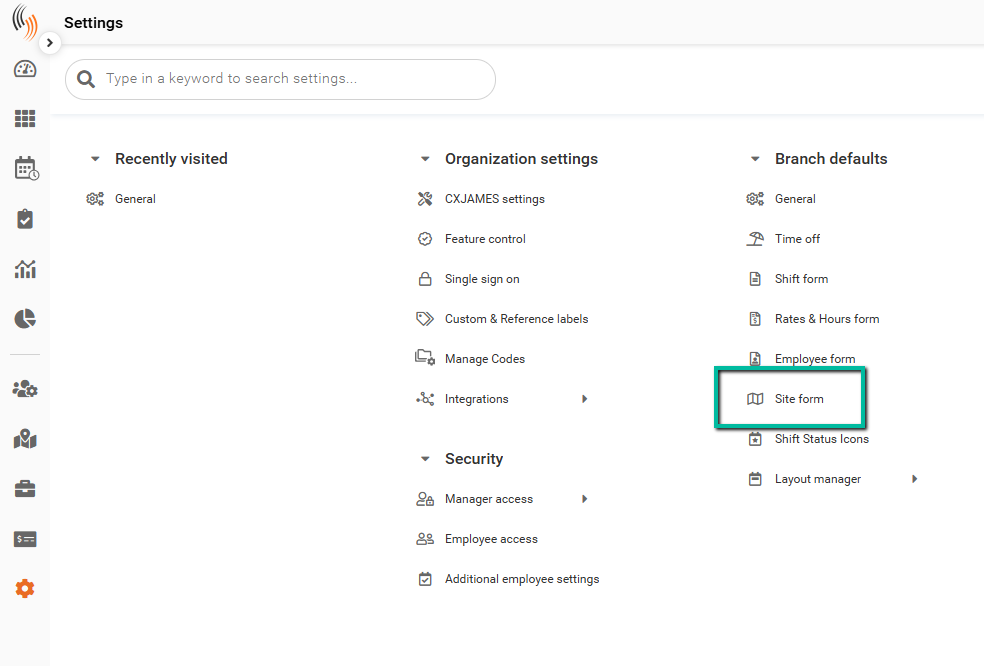
Site Form Overview
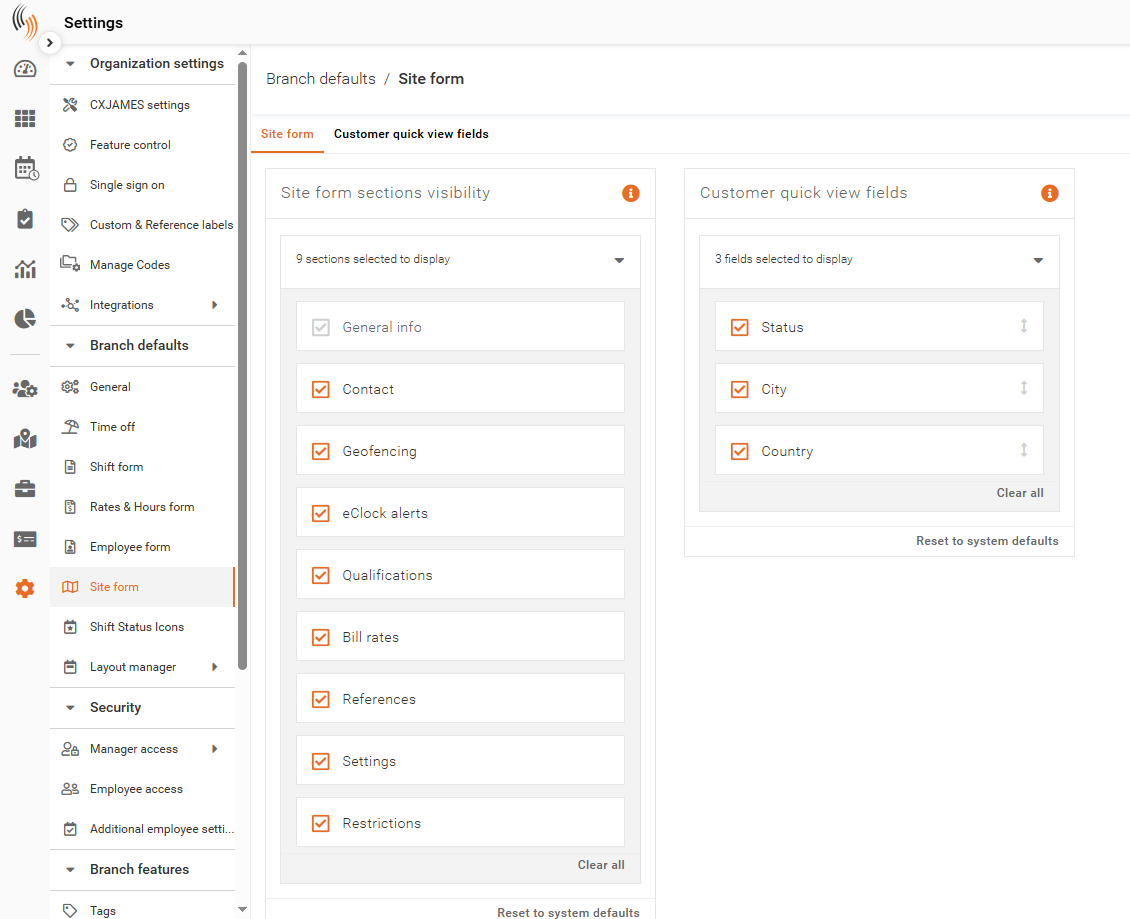
The Site Form includes two main configuration areas:
- Site Form Sections Visibility – Controls which sections appear in site profiles
- Customer Quick View Fields – Controls which fields are displayed in the customer quick view
These settings allow you to tailor the site profile layout and streamline data visibility.
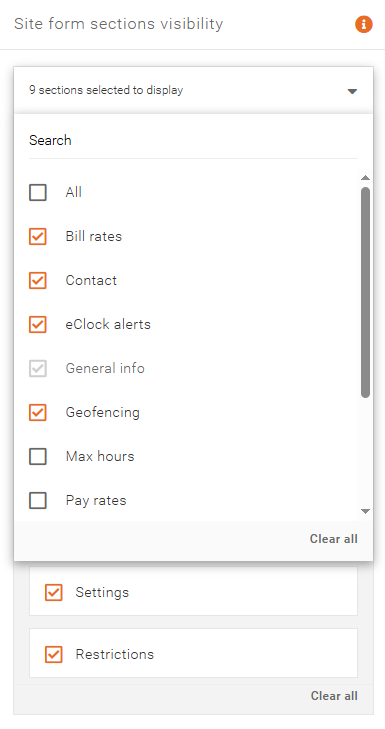
Site Form Sections Visibility
Use this setting to control which sections are displayed within the site profile.
Select or deselect sections to ensure only relevant information is visible to users managing site data.
Customer Quick View Fields
This setting allows you to define which customer-related fields are visible in the quick view by selecting them from the dropdown.
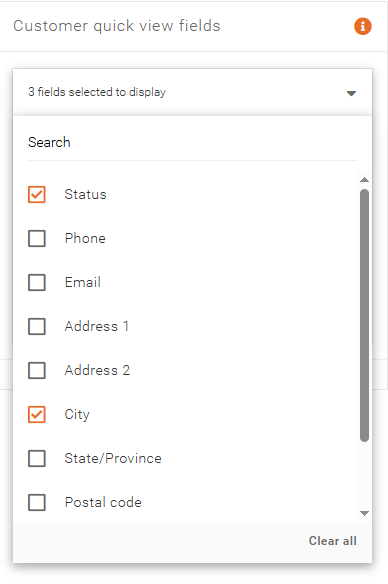
Use the arrows on the right side to adjust their order, with the selected fields displayed in the customer quick view.
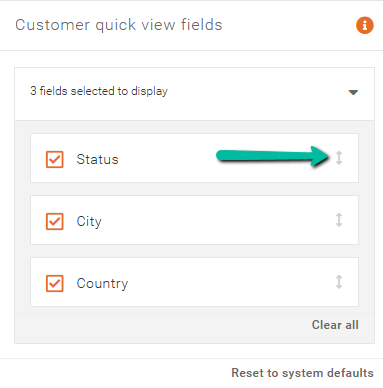
Configure these fields to ensure users can easily access the most important customer information at a glance.