Check Shift Log
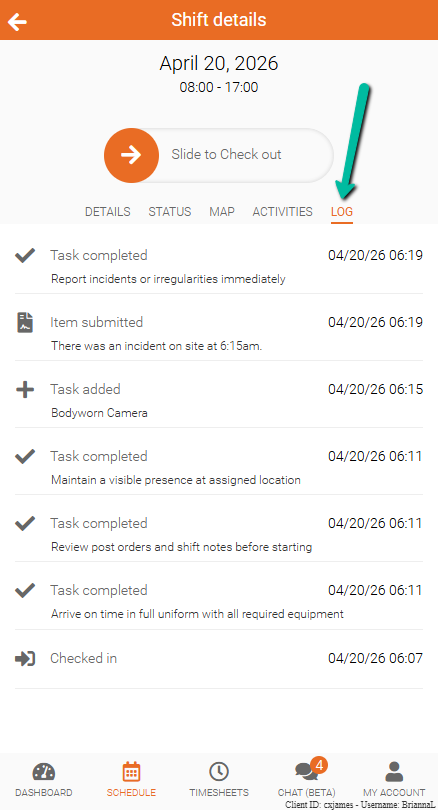
View a detailed record of shift activities, including timestamps for each completed action.
View a record of your shift activities, including what was completed and when.
The Shift Log provides a chronological history of actions taken during a shift, helping track progress and maintain accountability.
What the Log Shows
The log updates automatically as actions are completed and includes:
- Recorded activities
- Date and time of each action
This helps you and your admin review what was completed during the shift.
View the Shift Log
To access the log:
- Open Team Xpress
- Go to Schedule
- Select your shift
- Tap Log