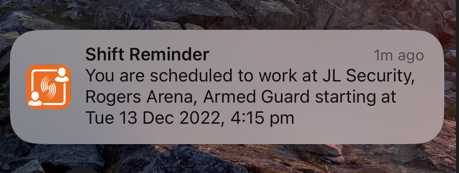
Set Up Shift Reminders
Automated shift reminders notify employees of upcoming shifts through Team Xpress, and can be configured in Schedule Xpress to help improve communication, attendance awareness, and reduce missed shifts.
Shift Reminder Control Types
Shift reminders can be managed at two levels:
- Administrator-controlled reminders – When enabled, employees cannot disable shift reminders, ensuring consistent communication and improved attendance reliability.
- Employee-controlled reminders – When allowed, employees can enable or disable reminders and customize notification timing based on their preferences.
Access Shift Reminder Settings
To configure shift reminders:
Settings → Branch features → Shift options
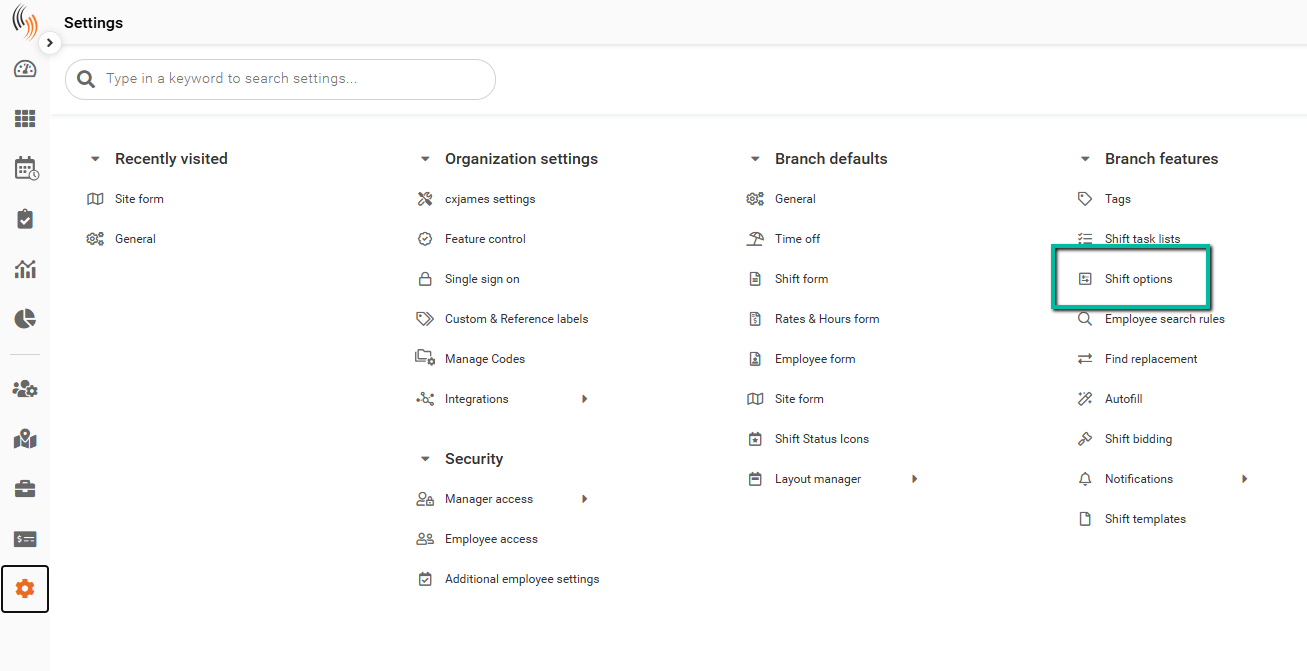
Configure Shift Reminders
Within Shift Options, locate the Shift Reminders setting. You can choose between two configuration modes:
- Employee-controlled reminders (default) – Employees manage their own reminder settings in Team Xpress.
- Scheduler-controlled reminders – Administrators define when reminders are sent and employees cannot modify them.
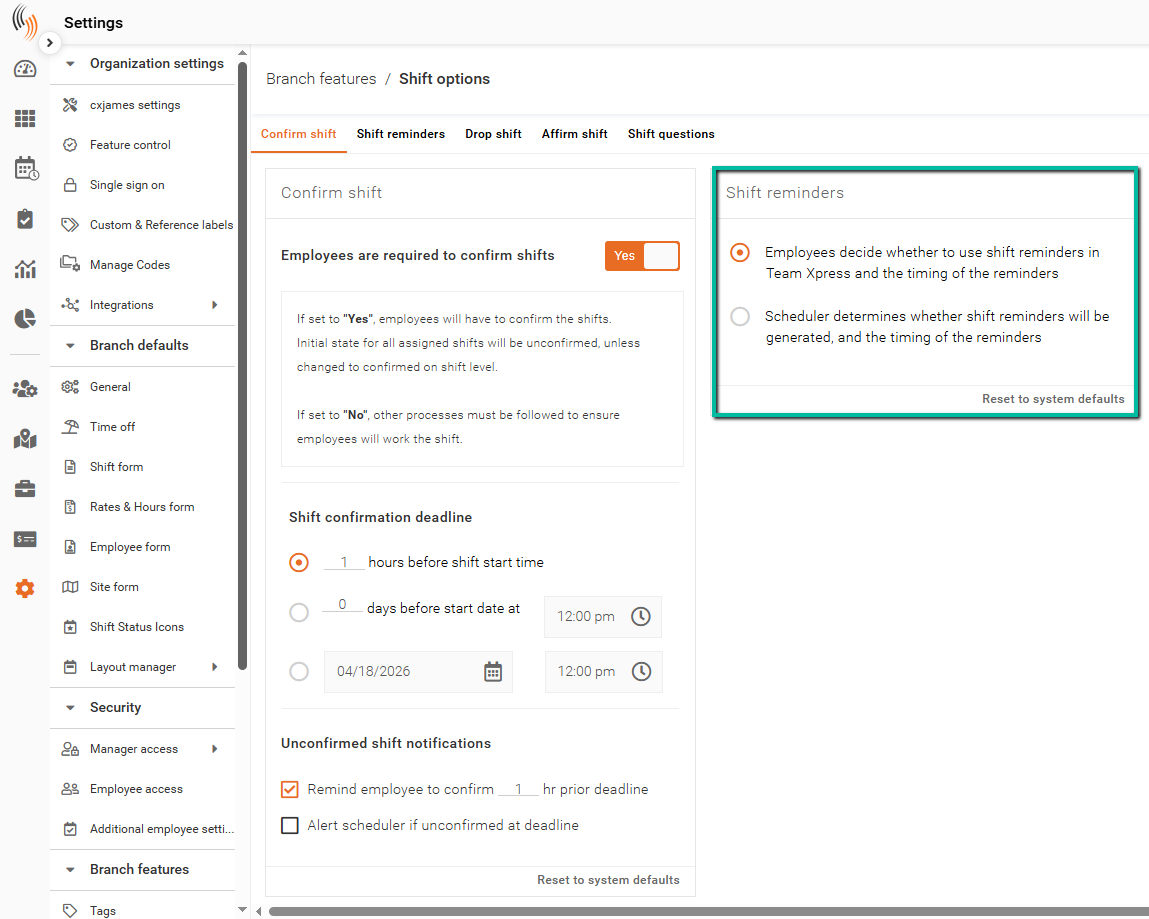
Reminder Configuration Options
When using scheduler-controlled reminders, you can define when notifications are sent.
For shift start reminders, select how far in advance employees are notified, with options ranging from at the start of the shift up to 7 days before the shift.
For shift end reminders, select when employees are notified, with options including at the end of the shift or up to 1 hour before the shift ends.
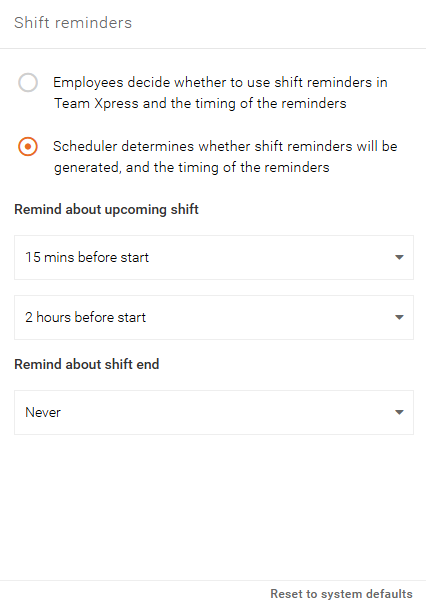
Employee Setup in Team Xpress
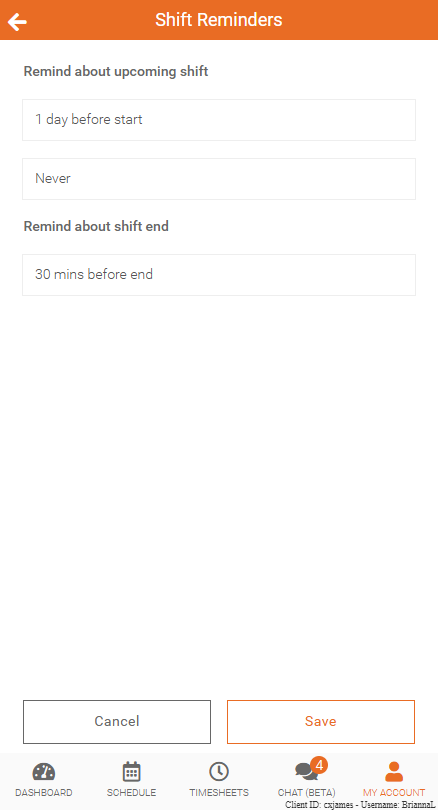
When enabled by an administrator, employees can manage shift reminders in Team Xpress.
To access these settings:
My Account → Preferences → Shift Reminders
Employees can only modify these settings if they have permission. If not enabled, the parameters will be greyed out.
Shift Reminder Notifications
Shift reminders are sent directly to the employee’s device as lock screen notifications.
Each notification includes key shift details such as:
- Customer name
- Work site location
- Service type
- Shift date
- Scheduled start time
Note: These notifications are sent only to the device lock screen and are not delivered via SMS or email.